1. 개요
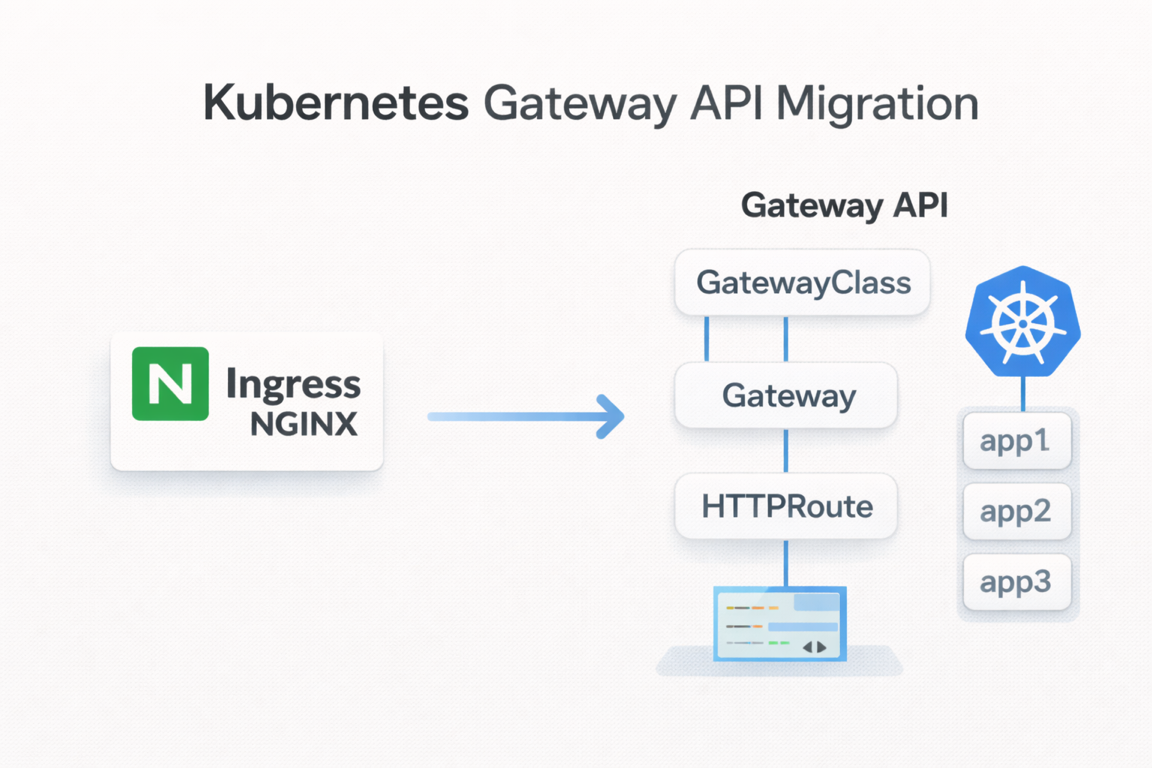
Kubernetes 환경에서 가장 널리 사용되던 Ingress Controller 중 하나인 Ingress NGINX가 **2026년 3월을 기점으로 공식 지원 종료(EOL)**를 예고했다.
지원 종료는 단순히 "더 이상 업데이트가 없다"는 의미에 그치지 않는다.
- 신규 기능 개발 중단
- 보안 패치 제공 중단 가능성
- Kubernetes 생태계 내에서의 점진적 비권장(
Deprecated) 포지션
즉, 장기적으로 Ingress NGINX에 의존하는 구조는 기술 부채가 된다는 의미다. 이로 인해 Kubernetes 공식 SIG-Network에서 제안한 차세대 표준인 Gateway API로의 전환이 사실상 선택이 아닌 필수가 되고 있다.
참고: 은퇴하는 대상은
Ingress NGINX Controller(구현체)이며,IngressAPI 자체는 Kubernetes 1.19부터 GA 상태로Deprecated계획은 없다. 다만Gateway API가 차세대 표준으로 자리잡고 있다.
이 글에서는 다음 내용을 다룬다.
- 기존
Ingress구조의 한계 Gateway API의 개념과 핵심 리소스Ingress에서Gateway로의 마이그레이션 전략NGINX Gateway Fabric을 이용한 실제 구성 방법
이 글에서 사용하는 예제 코드는 GitHub 저장소에서 확인할 수 있다.
2. 기존 Ingress 구조와 한계
Ingress는 Kubernetes 클러스터 외부 트래픽을 내부 Service로 라우팅하기 위한 리소스다. HTTP/HTTPS 기반 라우팅을 간단한 YAML로 정의할 수 있다는 장점 때문에 오랫동안 표준처럼 사용되어 왔다.
기본적인 Ingress 리소스는 다음과 같이 정의된다. 예제 프로젝트의 echo-server를 Ingress로 라우팅하는 설정이다.
# charts/ingress/ingress-routes/templates/ingress.yaml
apiVersion: networking.k8s.io/v1
kind: Ingress
metadata:
  name: echo-server-ingress
  annotations:
    nginx.ingress.kubernetes.io/rewrite-target: /
spec:
  ingressClassName: nginx
  rules:
    - host: echo.local
      http:
        paths:
          - path: /
            pathType: Prefix
            backend:
              service:
                name: echo-server
                port:
                  number: 80
하지만 Ingress에는 구조적인 한계가 존재한다.
2.1 역할 분리가 어렵다
Ingress 리소스 하나에 다음 책임이 모두 섞여 있다.
- 인프라 레벨 설정:
LoadBalancer, TLS, IP 정책 - 애플리케이션 레벨 라우팅:
path,host기반 라우팅
이로 인해 인프라 팀과 애플리케이션 팀의 역할 분리가 어렵다. 하나의 리소스를 양쪽에서 수정해야 하므로 충돌과 혼란이 발생하기 쉽다.
2.2 확장성과 표현력의 한계
- TCP / UDP 지원이 제한적이다
- 고급 라우팅(헤더 기반, 가중치 기반 등)은
Annotation에 의존한다 Controller구현체마다Annotation이 다르다
결과적으로 표준은 느슨하고, 구현체 의존성은 강해지는 구조가 된다. 예를 들어 NGINX에서 사용하던 Annotation을 Traefik에서는 다르게 작성해야 한다.
3. Ingress vs Gateway API 비교
| 구분 | Ingress | Gateway API |
|---|---|---|
| 표준화 수준 | 낮음 (Annotation 의존) | 높음 (SIG-Network 주도) |
| 역할 분리 | 없음 (단일 리소스) | 명확함 (GatewayClass/Gateway/Route) |
| 확장성 | 제한적 (HTTP/HTTPS 중심) | L4~L7 멀티 프로토콜 지원 |
| 구현 의존성 | 강함 | 상대적으로 낮음 |
| 고급 라우팅 | Annotation 필요 | 네이티브 지원 (헤더, 가중치 등) |
| 멀티 테넌시 | 미지원 | ReferenceGrant로 네임스페이스 간 제어 |
Gateway API는 이러한 Ingress의 한계를 해결하기 위해 등장했다.
4. Gateway API란?
Gateway API는 Kubernetes에서 트래픽 진입 계층을 표준화하기 위한 차세대 API다. Ingress를 대체하기 위해 설계되었으며, 처음부터 확장성과 역할 분리를 전제로 한다.
4.1 핵심 리소스
Gateway API는 역할에 따라 리소스를 분리하여 관리한다. 이 구조는 StorageClass/PersistentVolume 패턴과 유사하다.
4.1.1 GatewayClass
어떤 구현체를 사용할지 정의한다. 인프라 제공자가 관리하는 리소스다.
apiVersion: gateway.networking.k8s.io/v1
kind: GatewayClass
metadata:
  name: nginx
spec:
  controllerName: gateway.nginx.org/nginx-gateway-controller
- 예: NGINX,
Istio,Kong,Traefik등
4.1.2 Gateway
실제 트래픽 진입 지점이다. LoadBalancer, Listener(TLS/HTTP) 설정을 담당하며 인프라 관점의 리소스다.
# charts/gateway/gateway-routes/templates/gateway.yaml
apiVersion: gateway.networking.k8s.io/v1
kind: Gateway
metadata:
  name: echo-gateway
spec:
  gatewayClassName: nginx
  listeners:
    - name: http
      port: 80
      protocol: HTTP
      allowedRoutes:
        namespaces:
          from: All
TLS를 사용하는 경우 HTTPS 리스너를 추가할 수 있다.
    - name: https
      port: 443
      protocol: HTTPS
      allowedRoutes:
        namespaces:
          from: All
      tls:
        mode: Terminate
        certificateRefs:
          - kind: Secret
            name: echo-tls
4.1.3 HTTPRoute
요청을 어떤 Service로 보낼지 정의한다. 애플리케이션 관점의 리소스다.
# charts/gateway/gateway-routes/templates/httproutes.yaml
apiVersion: gateway.networking.k8s.io/v1
kind: HTTPRoute
metadata:
  name: echo-server-route
spec:
  parentRefs:
    - name: echo-gateway
  hostnames:
    - echo.local
  rules:
    - matches:
        - path:
            type: PathPrefix
            value: /
      backendRefs:
        - name: echo-server
          namespace: app
          port: 80
이 구조를 통해 인프라 설정(Gateway)과 애플리케이션 라우팅(HTTPRoute)을 명확히 분리할 수 있다.
4.2 역할 기반 설계
Gateway API는 팀 간 책임 분리를 명확하게 한다.
| 역할 | 담당 리소스 | 설명 |
|---|---|---|
| 인프라 제공자 | GatewayClass | 구현체 정의 |
| 클러스터 운영자 | Gateway | 트래픽 진입점, TLS 설정 |
| 애플리케이션 개발자 | HTTPRoute | 서비스 라우팅 규칙 |
4.3 지원하는 Route 종류
Gateway API는 HTTP뿐만 아니라 다양한 프로토콜을 지원한다.
HTTPRoute: HTTP/HTTPS 트래픽 라우팅GRPCRoute: gRPC 트래픽 라우팅TLSRoute: TLS 패스스루 라우팅TCPRoute: TCP 트래픽 라우팅UDPRoute: UDP 트래픽 라우팅
5. Gateway API 구현체 종류
Gateway API는 인터페이스일 뿐이며, 실제 동작은 구현체가 담당한다. 대표적인 구현체는 다음과 같다.
| 구현체 | 특징 |
|---|---|
| NGINX Gateway Fabric | NGINX 기반, Ingress NGINX 사용자에게 가장 자연스러운 전환 |
| Istio | 서비스 메시와 통합, 고급 트래픽 관리 |
| Kong Gateway | API Gateway 기능 풍부, 플러그인 생태계 |
| Traefik | 자동 설정, Let's Encrypt 통합 |
| Envoy Gateway | Envoy 프록시 기반, CNCF 프로젝트 |
이 글에서는 Ingress NGINX 사용자에게 가장 자연스러운 선택지인 NGINX Gateway Fabric을 기준으로 설명한다.
6. Ingress → Gateway 마이그레이션 전략
Ingress에서 Gateway로의 전환은 한 번에 갈아엎는 방식이 아니다. 단계적인 접근이 중요하다.
6.1 기존 Ingress 구성 분석
먼저 현재 사용 중인 Ingress를 정리한다.
host/path규칙- TLS 설정
Annotation사용 여부Controller종속 기능 여부
특히 Annotation 기반 기능은 Gateway API에서 다른 방식으로 표현해야 한다.
6.2 Ingress ↔ HTTPRoute 매핑
Ingress의 주요 요소는 HTTPRoute로 다음과 같이 대응된다.
Ingress | Gateway API |
|---|---|
host | HTTPRoute.hostnames |
path | HTTPRoute.rules.matches |
backend service | HTTPRoute.rules.backendRefs |
TLS | Gateway.listener |
annotations | 네이티브 필드 또는 Policy 리소스 |
예제 프로젝트의 Ingress와 HTTPRoute를 1:1로 비교하면 다음과 같다.
Ingress 방식:
# charts/ingress/ingress-routes/values.yaml
ingress:
  name: echo-server-ingress
  className: nginx
  annotations:
    nginx.ingress.kubernetes.io/rewrite-target: /
  hosts:
    - host: echo.local
      paths:
        - path: /
          pathType: Prefix
          serviceName: echo-server
          servicePort: 80
Gateway API 방식:
# charts/gateway/gateway-routes/values.yaml
gateway:
  name: echo-gateway
  className: nginx
  listeners:
    - name: http
      port: 80
      protocol: HTTP
      allowedRoutes:
        from: All

httpRoutes:
  - name: echo-server-route
    hostnames:
      - echo.local
    rules:
      - matches:
          - path:
              type: PathPrefix
              value: /
        backendRefs:
          - name: echo-server
            namespace: app
            port: 80
구조적으로 Ingress → HTTPRoute 변환은 비교적 직관적이다. Gateway API에서는 인프라 설정(Gateway)과 라우팅 규칙(HTTPRoute)이 분리되어 있다는 점이 핵심 차이다.
Tip: Cursor나 Claude Code 같은 AI 코딩 도구를 활용하면 기존
IngressYAML을Gateway API형식으로 빠르게 전환할 수 있다. 매핑 규칙이 명확하므로 변환 정확도가 높고, 리소스가 많아도 일괄 변환이 가능하다.
7. NGINX Gateway Fabric으로 Gateway 구성하기
이 섹션에서는 예제 프로젝트를 기반으로 실제 Gateway 구성 방법을 설명한다.
7.1 아키텍처 개요
예제 프로젝트는 Kind 클러스터 위에 ArgoCD를 통해 Ingress와 Gateway를 각각 배포하는 구조다. Terraform으로 Kind 클러스터와 ArgoCD를 프로비저닝하고, ArgoCD가 Helm 차트 기반으로 Ingress 또는 Gateway API 리소스와 echo-server 애플리케이션을 배포한다. 동일한 echo-server를 대상으로 Ingress 방식과 Gateway 방식을 교차 배포하면서 차이를 비교할 수 있다.
flowchart TD
    Terraform["Terraform"]
    Client["Client"]

    Terraform -->|프로비저닝| Infra

    subgraph Kind_Cluster["Kind Cluster"]
        subgraph Infra["Infra (terraform/)"]
            KindCluster["Kind Cluster 생성"]
            ArgoCD["ArgoCD 설치"]
            KindCluster --> ArgoCD
        end

        subgraph Apps["Apps (charts/)"]
            Gateway["Ingress or Gateway API"]
            Echo["echo-server"]
        end

        ArgoCD -->|배포 관리| Gateway
        ArgoCD -->|배포 관리| Echo
        Gateway --> Echo
    end

    Client -->|HTTP 요청| Gateway
프로젝트 디렉토리 구조는 다음과 같다.
.
├── Makefile                    # 자동화 명령어
├── terraform/                  # Kind 클러스터 + ArgoCD 설치
├── bootstrap/                  # ArgoCD Applications
│   ├── apps.yaml               # echo-server 배포
│   ├── infra-ingress.yaml      # Ingress 인프라
│   └── infra-gateway.yaml      # Gateway 인프라
└── charts/                     # Helm Charts
    ├── echo-server/            # 샘플 애플리케이션
    ├── ingress/                # Ingress 관련 차트
    │   ├── nginx-ingress/      # NGINX Ingress Controller
    │   └── ingress-routes/     # Ingress 리소스
    └── gateway/                # Gateway API 관련 차트
        ├── gateway-api-crds/   # Gateway API CRDs
        ├── cert-manager/       # cert-manager (TLS 인증서 관리)
        ├── nginx-gateway/      # NGINX Gateway Fabric
        └── gateway-routes/     # Gateway, HTTPRoute, TLS 리소스
예제를 실행하려면 Terraform >= 1.0, kubectl, Docker, Kind가 필요하다.
7.2 클러스터 생성 및 Gateway 배포
먼저 Terraform으로 Kind 클러스터를 생성하고 ArgoCD를 설치한다.
make tf-init
make tf-apply
Gateway API 기반으로 배포하려면 다음 명령어를 실행한다.
make deploy-gateway
이 명령은 bootstrap/infra-gateway.yaml ArgoCD ApplicationSet을 적용하여 다음 컴포넌트를 순차적으로 배포한다.
# bootstrap/infra-gateway.yaml
apiVersion: argoproj.io/v1alpha1
kind: ApplicationSet
metadata:
  name: gateway-infra
  namespace: argocd
spec:
  generators:
    - list:
        elements:
          - name: gateway-api-crds
            namespace: gateway
            path: cloud/ingress-gateway/charts/gateway/gateway-api-crds
          - name: nginx-gateway
            namespace: gateway
            path: cloud/ingress-gateway/charts/gateway/nginx-gateway
          - name: gateway-routes
            namespace: gateway
            path: cloud/ingress-gateway/charts/gateway/gateway-routes
  template:
    metadata:
      name: "{{name}}"
    spec:
      project: default
      source:
        repoURL: https://github.com/kenshin579/tutorials-go
        targetRevision: HEAD
        path: "{{path}}"
      destination:
        server: https://kubernetes.default.svc
        namespace: "{{namespace}}"
      syncPolicy:
        automated:
          prune: true
          selfHeal: true
        syncOptions:
          - CreateNamespace=true
배포 흐름은 다음과 같다.
- Gateway API CRDs 설치 -
Gateway,HTTPRoute등의 커스텀 리소스 정의 NGINX Gateway Fabric설치 -Gateway API구현체 (Helm차트, 버전 2.2.1)- Gateway Routes 배포 -
Gateway와HTTPRoute리소스 생성
7.3 Gateway 리소스 구성
Gateway API를 사용하려면 구현체 설정, 실제 라우팅 리소스 정의, 그리고 필요에 따라 TLS 인증서 설정까지 구성해야 한다.
이 섹션에서는 NGINX Gateway Fabric 설정부터 Gateway/HTTPRoute 정의, TLS 설정까지 순서대로 살펴본다.
7.3.1 NGINX Gateway Fabric 설정
NGINX Gateway Fabric은 Helm 차트로 설치되며, Kind 클러스터 환경에 맞게 다음과 같이 설정한다.
# charts/gateway/nginx-gateway/values.yaml
nginx-gateway-fabric:
  service:
    type: NodePort
  nginxGateway:
    gwAPIExperimentalFeatures:
      enable: true
  nodeSelector:
    ingress-ready: "true"
  tolerations:
    - key: "node-role.kubernetes.io/control-plane"
      operator: "Equal"
      effect: "NoSchedule"
    - key: "node-role.kubernetes.io/master"
      operator: "Equal"
      effect: "NoSchedule"
NodePort타입으로 서비스를 노출 (Kind환경)gwAPIExperimentalFeatures활성화로Gateway APIexperimental 채널 리소스 사용 가능 (TLSRoute,TCPRoute,UDPRoute등)- Control Plane 노드에 스케줄링 가능하도록
tolerations설정
7.3.2 Gateway 및 HTTPRoute
Gateway는 트래픽 진입점을, HTTPRoute는 서비스 라우팅 규칙을 정의한다. 예제 프로젝트에서는 Helm 템플릿으로 관리하며, values 파일만 수정하면 다양한 환경에 맞게 배포할 수 있다.
7.3.2.1 Gateway 리소스
Gateway는 외부 트래픽이 클러스터로 들어오는 진입점을 정의한다. 어떤 GatewayClass를 사용할지, 어떤 포트와 프로토콜로 리스닝할지, 어떤 네임스페이스의 Route를 허용할지를 설정한다.
# charts/gateway/gateway-routes/templates/gateway.yaml
apiVersion: gateway.networking.k8s.io/v1
kind: Gateway
metadata:
  name: {{ .Values.gateway.name }}
  namespace: {{ .Release.Namespace }}
spec:
  gatewayClassName: {{ .Values.gateway.className }}
  listeners:
    {{- range .Values.gateway.listeners }}
    - name: {{ .name }}
      port: {{ .port }}
      protocol: {{ .protocol }}
      {{- if .tls }}
      tls:
        mode: {{ .tls.mode }}
        certificateRefs:
          {{- range .tls.certificateRefs }}
          - kind: {{ .kind }}
            name: {{ .name }}
          {{- end }}
      {{- end }}
      allowedRoutes:
        namespaces:
          from: {{ .allowedRoutes.from }}
    {{- end }}
7.3.2.2 HTTPRoute 리소스
HTTPRoute는 Gateway로 들어온 요청을 호스트명과 경로 조건에 따라 어떤 백엔드 Service로 전달할지 정의한다. 하나의 Gateway에 여러 HTTPRoute를 연결할 수 있어 서비스별로 독립적인 라우팅 관리가 가능하다.
# charts/gateway/gateway-routes/templates/httproutes.yaml
{{- range .Values.httpRoutes }}
---
apiVersion: gateway.networking.k8s.io/v1
kind: HTTPRoute
metadata:
  name: {{ .name }}
  namespace: {{ $.Release.Namespace }}
spec:
  parentRefs:
    - name: {{ $.Values.gateway.name }}
      namespace: {{ $.Release.Namespace }}
  hostnames:
    {{- range .hostnames }}
    - {{ . }}
    {{- end }}
  rules:
    {{- range .rules }}
    - matches:
        {{- range .matches }}
        - path:
            type: {{ .path.type }}
            value: {{ .path.value }}
        {{- end }}
      backendRefs:
        {{- range .backendRefs }}
        - name: {{ .name }}
          namespace: {{ .namespace }}
          port: {{ .port }}
        {{- end }}
    {{- end }}
{{- end }}
실제 values 파일로 렌더링되면 다음과 같은 리소스가 생성된다.
# Gateway: echo-gateway (port 80, HTTP)
# HTTPRoute: echo-server-route
#   - host: echo.local
#   - path: / (PathPrefix)
#   - backend: echo-server (namespace: app, port: 80)
7.3.3 TLS/HTTPS 설정 (선택적)
HTTPS를 사용하려면 cert-manager를 활성화하고 관련 설정을 추가한다.
7.3.3.1 1단계: cert-manager 활성화
bootstrap/infra-gateway.yaml에서 cert-manager 항목의 주석을 해제한다.
elements:
  - name: gateway-api-crds
    namespace: gateway
    path: cloud/ingress-gateway/charts/gateway/gateway-api-crds
  - name: cert-manager      # 주석 해제
    namespace: gateway
    path: cloud/ingress-gateway/charts/gateway/cert-manager
  - name: nginx-gateway
    namespace: gateway
    path: cloud/ingress-gateway/charts/gateway/nginx-gateway
  - name: gateway-routes
    namespace: gateway
    path: cloud/ingress-gateway/charts/gateway/gateway-routes
7.3.3.2 2단계: TLS 관련 values 설정
charts/gateway/gateway-routes/values.yaml에서 TLS를 활성화한다.
tls:
  enabled: true  # false -> true로 변경

gateway:
  listeners:
    - name: http
      port: 80
      protocol: HTTP
      allowedRoutes:
        from: All
    - name: https        # 주석 해제
      port: 443
      protocol: HTTPS
      allowedRoutes:
        from: All
      tls:
        mode: Terminate
        certificateRefs:
          - kind: Secret
            name: echo-tls

letsencrypt:
  email: your-email@example.com
  environment: staging  # staging 또는 prod

certificate:
  name: echo-tls
  dnsNames:
    - echo.local
TLS가 활성화되면 다음 리소스가 추가로 생성된다.
ClusterIssuer는 cert-manager에서 인증서를 발급할 CA(인증 기관)를 정의하는 리소스다. 클러스터 전체에서 공유되며, 아래 예제에서는 Let's Encrypt ACME 서버를 사용한다.
# charts/gateway/gateway-routes/templates/clusterissuer.yaml
apiVersion: cert-manager.io/v1
kind: ClusterIssuer
metadata:
  name: letsencrypt-staging
spec:
  acme:
    email: your-email@example.com
    server: https://acme-staging-v02.api.letsencrypt.org/directory
    privateKeySecretRef:
      name: letsencrypt-staging-key
    solvers:
      - http01:
          gatewayHTTPRoute:
            parentRefs:
              - name: echo-gateway
                kind: Gateway
Certificate는 실제 TLS 인증서 발급을 요청하는 리소스다. 발급된 인증서는 지정한 Secret에 저장되며, Gateway의 TLS 리스너에서 참조한다.
# charts/gateway/gateway-routes/templates/certificate.yaml
apiVersion: cert-manager.io/v1
kind: Certificate
metadata:
  name: echo-tls
spec:
  secretName: echo-tls
  dnsNames:
    - echo.local
  issuerRef:
    name: letsencrypt-staging
    kind: ClusterIssuer
7.4 테스트
배포가 완료되면 다음 명령으로 동작을 확인한다.
# Gateway 테스트
make test-gateway

# 직접 curl 호출
curl -H "Host: echo.local" http://localhost/ping
7.5 Ingress 방식과의 비교 배포
같은 echo-server를 Ingress 방식으로 배포하려면 다음 명령을 사용한다.
make deploy-ingress
이 경우 bootstrap/infra-ingress.yaml이 적용되어 NGINX Ingress Controller와 Ingress 리소스가 배포된다. 두 방식을 교차 배포하면서 차이를 직접 비교해볼 수 있다.
8. 마무리
Ingress NGINX 지원 종료는 아직 시간이 남아 있는 이슈처럼 보일 수 있다. 하지만 인프라 전환은 준비에 가장 많은 시간이 드는 작업이다.
- 단순한 서비스라면
Ingress를 당장 제거할 필요는 없다 - 하지만 신규 서비스나 장기 운영 서비스라면
Gateway API전환을 고려하는 것이 합리적이다 - 특히
Ingress NGINX사용자라면NGINX Gateway Fabric은 가장 자연스러운 선택지다 Ingress와Gateway는 공존 가능하므로 단계적 전환이 가능하다
Gateway API는 단순한 Ingress 대체재가 아니라, Kubernetes 네트워크 계층의 구조를 재정의한 표준이다.