1. Overview
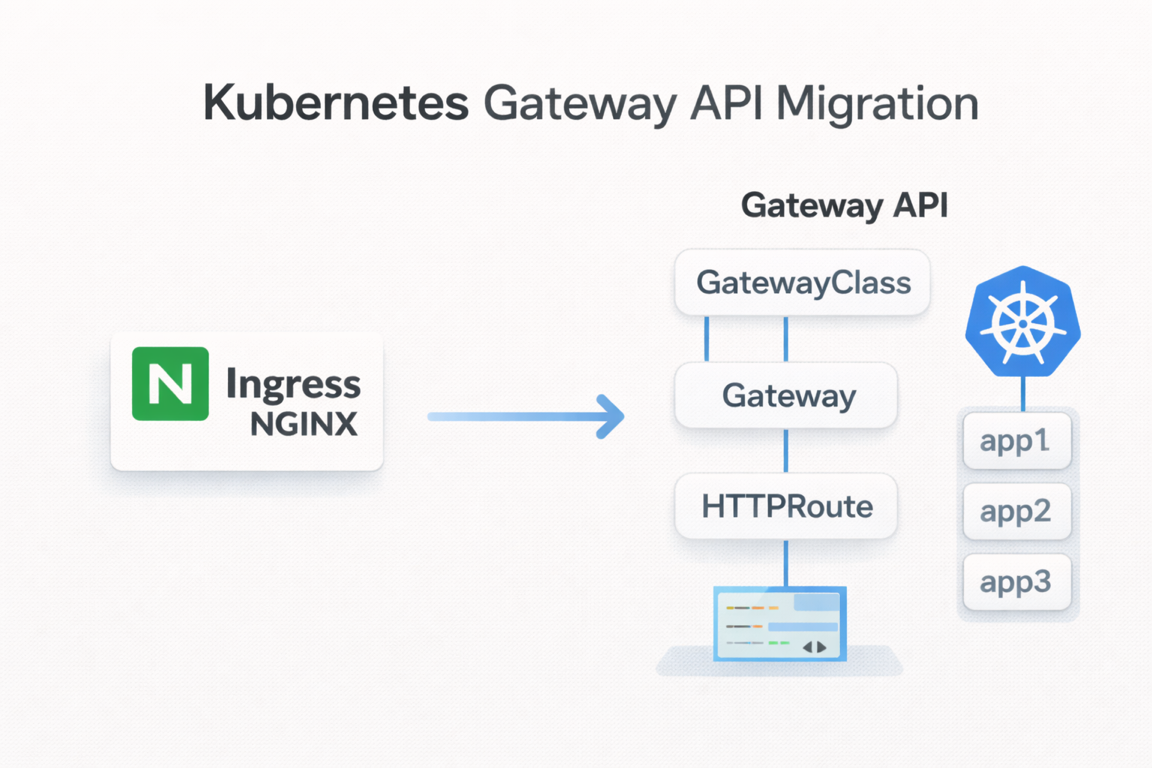
Ingress NGINX, one of the most widely used Ingress Controllers in Kubernetes environments, has announced its official end of life (EOL) as of March 2026.
End of support does not simply mean "no more updates."
- No more new feature development
- Possible discontinuation of security patches
- A gradual
Deprecatedposition within the Kubernetes ecosystem
In other words, a structure that depends on Ingress NGINX over the long term becomes technical debt. As a result, transitioning to Gateway API—the next-generation standard proposed by the official Kubernetes SIG-Network—is becoming a necessity rather than a choice.
Note: What is being retired is the
Ingress NGINX Controller(the implementation), while theIngressAPI itself has been in GA status since Kubernetes 1.19 and has noDeprecatedplan. That said,Gateway APIis establishing itself as the next-generation standard.
This article covers the following topics.
- Limitations of the existing
Ingressstructure - Concepts and core resources of
Gateway API - Migration strategy from
IngresstoGateway - How to actually configure it using
NGINX Gateway Fabric
The example code used in this article can be found in the GitHub repository.
2. Existing Ingress Structure and Its Limitations
Ingress is a resource for routing external traffic of a Kubernetes cluster to internal Services. It has long been used as a de facto standard thanks to the advantage of being able to define HTTP/HTTPS-based routing with simple YAML.
A basic Ingress resource is defined as follows. This configuration routes the example project's echo-server via Ingress.
# charts/ingress/ingress-routes/templates/ingress.yaml
apiVersion: networking.k8s.io/v1
kind: Ingress
metadata:
  name: echo-server-ingress
  annotations:
    nginx.ingress.kubernetes.io/rewrite-target: /
spec:
  ingressClassName: nginx
  rules:
    - host: echo.local
      http:
        paths:
          - path: /
            pathType: Prefix
            backend:
              service:
                name: echo-server
                port:
                  number: 80
However, Ingress has structural limitations.
2.1 Separation of Roles Is Difficult
A single Ingress resource mixes all of the following responsibilities.
- Infrastructure-level settings:
LoadBalancer, TLS, IP policies - Application-level routing:
pathandhostbased routing
This makes it difficult to separate the roles of the infrastructure team and the application team. Since a single resource must be modified by both sides, conflicts and confusion are likely to occur.
2.2 Limitations in Extensibility and Expressiveness
- TCP / UDP support is limited
- Advanced routing (header-based, weight-based, etc.) relies on
Annotations Annotationsdiffer acrossControllerimplementations
As a result, the structure becomes one where the standard is loose while implementation dependency grows stronger. For example, an Annotation used in NGINX must be written differently in Traefik.
3. Ingress vs Gateway API Comparison
| Category | Ingress | Gateway API |
|---|---|---|
| Standardization level | Low (Annotation dependent) | High (SIG-Network led) |
| Role separation | None (single resource) | Clear (GatewayClass/Gateway/Route) |
| Extensibility | Limited (HTTP/HTTPS centered) | L4–L7 multi-protocol support |
| Implementation dependency | Strong | Relatively low |
| Advanced routing | Annotation required | Native support (headers, weights, etc.) |
| Multi-tenancy | Not supported | Cross-namespace control via ReferenceGrant |
Gateway API emerged to solve these limitations of Ingress.
4. What Is Gateway API?
Gateway API is the next-generation API for standardizing the traffic ingress layer in Kubernetes. It is designed to replace Ingress and assumes extensibility and role separation from the ground up.
4.1 Core Resources
Gateway API separates and manages resources by role. This structure is similar to the StorageClass/PersistentVolume pattern.
4.1.1 GatewayClass
Defines which implementation to use. This is a resource managed by the infrastructure provider.
apiVersion: gateway.networking.k8s.io/v1
kind: GatewayClass
metadata:
  name: nginx
spec:
  controllerName: gateway.nginx.org/nginx-gateway-controller
- e.g., NGINX,
Istio,Kong,Traefik, etc.
4.1.2 Gateway
The actual traffic ingress point. It handles LoadBalancer and Listener (TLS/HTTP) settings and is an infrastructure-perspective resource.
# charts/gateway/gateway-routes/templates/gateway.yaml
apiVersion: gateway.networking.k8s.io/v1
kind: Gateway
metadata:
  name: echo-gateway
spec:
  gatewayClassName: nginx
  listeners:
    - name: http
      port: 80
      protocol: HTTP
      allowedRoutes:
        namespaces:
          from: All
If TLS is used, an HTTPS listener can be added.
    - name: https
      port: 443
      protocol: HTTPS
      allowedRoutes:
        namespaces:
          from: All
      tls:
        mode: Terminate
        certificateRefs:
          - kind: Secret
            name: echo-tls
4.1.3 HTTPRoute
Defines which Service a request should be sent to. This is an application-perspective resource.
# charts/gateway/gateway-routes/templates/httproutes.yaml
apiVersion: gateway.networking.k8s.io/v1
kind: HTTPRoute
metadata:
  name: echo-server-route
spec:
  parentRefs:
    - name: echo-gateway
  hostnames:
    - echo.local
  rules:
    - matches:
        - path:
            type: PathPrefix
            value: /
      backendRefs:
        - name: echo-server
          namespace: app
          port: 80
Through this structure, the infrastructure settings (Gateway) and application routing (HTTPRoute) can be clearly separated.
4.2 Role-Based Design
Gateway API makes the separation of responsibilities between teams explicit.
| Role | Responsible Resource | Description |
|---|---|---|
| Infrastructure provider | GatewayClass | Defines the implementation |
| Cluster operator | Gateway | Traffic ingress point, TLS settings |
| Application developer | HTTPRoute | Service routing rules |
4.3 Supported Route Types
Gateway API supports not only HTTP but also various protocols.
HTTPRoute: HTTP/HTTPS traffic routingGRPCRoute: gRPC traffic routingTLSRoute: TLS passthrough routingTCPRoute: TCP traffic routingUDPRoute: UDP traffic routing
5. Types of Gateway API Implementations
Gateway API is only an interface; the actual behavior is handled by the implementation. Representative implementations are as follows.
| Implementation | Characteristics |
|---|---|
| NGINX Gateway Fabric | NGINX-based; the most natural transition for Ingress NGINX users |
| Istio | Integrated with the service mesh, advanced traffic management |
| Kong Gateway | Rich API Gateway features, plugin ecosystem |
| Traefik | Automatic configuration, Let's Encrypt integration |
| Envoy Gateway | Based on the Envoy proxy, a CNCF project |
This article explains things based on NGINX Gateway Fabric, the most natural choice for Ingress NGINX users.
6. Ingress → Gateway Migration Strategy
The transition from Ingress to Gateway is not a rip-and-replace approach all at once. A phased approach is important.
6.1 Analyzing the Existing Ingress Configuration
First, organize the Ingress currently in use.
host/pathrules- TLS settings
- Whether
Annotationsare used - Whether
Controller-dependent features are used
In particular, Annotation-based features must be expressed differently in Gateway API.
6.2 Ingress ↔ HTTPRoute Mapping
The main elements of Ingress map to HTTPRoute as follows.
Ingress | Gateway API |
|---|---|
host | HTTPRoute.hostnames |
path | HTTPRoute.rules.matches |
backend service | HTTPRoute.rules.backendRefs |
TLS | Gateway.listener |
annotations | Native fields or Policy resources |
Comparing the example project's Ingress and HTTPRoute one-to-one looks like this.
Ingress approach:
# charts/ingress/ingress-routes/values.yaml
ingress:
  name: echo-server-ingress
  className: nginx
  annotations:
    nginx.ingress.kubernetes.io/rewrite-target: /
  hosts:
    - host: echo.local
      paths:
        - path: /
          pathType: Prefix
          serviceName: echo-server
          servicePort: 80
Gateway API approach:
# charts/gateway/gateway-routes/values.yaml
gateway:
  name: echo-gateway
  className: nginx
  listeners:
    - name: http
      port: 80
      protocol: HTTP
      allowedRoutes:
        from: All

httpRoutes:
  - name: echo-server-route
    hostnames:
      - echo.local
    rules:
      - matches:
          - path:
              type: PathPrefix
              value: /
        backendRefs:
          - name: echo-server
            namespace: app
            port: 80
Structurally, the Ingress → HTTPRoute conversion is relatively intuitive. The key difference is that in Gateway API, the infrastructure settings (Gateway) and routing rules (HTTPRoute) are separated.
Tip: Using AI coding tools such as Cursor or Claude Code, you can quickly convert existing
IngressYAML into theGateway APIformat. Since the mapping rules are clear, the conversion accuracy is high, and batch conversion is possible even when there are many resources.
7. Configuring Gateway with NGINX Gateway Fabric
This section explains how to actually configure a Gateway based on the example project.
7.1 Architecture Overview
The example project has a structure that deploys Ingress and Gateway separately via ArgoCD on top of a Kind cluster. It provisions the Kind cluster and ArgoCD with Terraform, and ArgoCD deploys the Ingress or Gateway API resources and the echo-server application based on Helm charts. You can compare the differences by cross-deploying the Ingress approach and the Gateway approach against the same echo-server.
flowchart TD
    Terraform["Terraform"]
    Client["Client"]

    Terraform -->|Provisioning| Infra

    subgraph Kind_Cluster["Kind Cluster"]
        subgraph Infra["Infra (terraform/)"]
            KindCluster["Create Kind Cluster"]
            ArgoCD["Install ArgoCD"]
            KindCluster --> ArgoCD
        end

        subgraph Apps["Apps (charts/)"]
            Gateway["Ingress or Gateway API"]
            Echo["echo-server"]
        end

        ArgoCD -->|Deployment management| Gateway
        ArgoCD -->|Deployment management| Echo
        Gateway --> Echo
    end

    Client -->|HTTP request| Gateway
The project directory structure is as follows.
.
├── Makefile                    # Automation commands
├── terraform/                  # Kind cluster + ArgoCD installation
├── bootstrap/                  # ArgoCD Applications
│   ├── apps.yaml               # echo-server deployment
│   ├── infra-ingress.yaml      # Ingress infrastructure
│   └── infra-gateway.yaml      # Gateway infrastructure
└── charts/                     # Helm Charts
    ├── echo-server/            # Sample application
    ├── ingress/                # Ingress-related charts
    │   ├── nginx-ingress/      # NGINX Ingress Controller
    │   └── ingress-routes/     # Ingress resources
    └── gateway/                # Gateway API-related charts
        ├── gateway-api-crds/   # Gateway API CRDs
        ├── cert-manager/       # cert-manager (TLS certificate management)
        ├── nginx-gateway/      # NGINX Gateway Fabric
        └── gateway-routes/     # Gateway, HTTPRoute, TLS resources
To run the example, you need Terraform >= 1.0, kubectl, Docker, and Kind.
7.2 Creating the Cluster and Deploying Gateway
First, create a Kind cluster with Terraform and install ArgoCD.
make tf-init
make tf-apply
To deploy based on Gateway API, run the following command.
make deploy-gateway
This command applies the bootstrap/infra-gateway.yaml ArgoCD ApplicationSet to deploy the following components sequentially.
# bootstrap/infra-gateway.yaml
apiVersion: argoproj.io/v1alpha1
kind: ApplicationSet
metadata:
  name: gateway-infra
  namespace: argocd
spec:
  generators:
    - list:
        elements:
          - name: gateway-api-crds
            namespace: gateway
            path: cloud/ingress-gateway/charts/gateway/gateway-api-crds
          - name: nginx-gateway
            namespace: gateway
            path: cloud/ingress-gateway/charts/gateway/nginx-gateway
          - name: gateway-routes
            namespace: gateway
            path: cloud/ingress-gateway/charts/gateway/gateway-routes
  template:
    metadata:
      name: "{{name}}"
    spec:
      project: default
      source:
        repoURL: https://github.com/kenshin579/tutorials-go
        targetRevision: HEAD
        path: "{{path}}"
      destination:
        server: https://kubernetes.default.svc
        namespace: "{{namespace}}"
      syncPolicy:
        automated:
          prune: true
          selfHeal: true
        syncOptions:
          - CreateNamespace=true
The deployment flow is as follows.
- Install Gateway API CRDs - Custom resource definitions such as
Gateway,HTTPRoute, etc. - Install
NGINX Gateway Fabric- TheGateway APIimplementation (Helmchart, version 2.2.1) - Deploy Gateway Routes - Create
GatewayandHTTPRouteresources
7.3 Configuring Gateway Resources
To use Gateway API, you need to configure the implementation settings, define the actual routing resources, and, if necessary, set up TLS certificates.
This section walks through, in order, from NGINX Gateway Fabric configuration to Gateway/HTTPRoute definitions and TLS settings.
7.3.1 NGINX Gateway Fabric Configuration
NGINX Gateway Fabric is installed via a Helm chart and is configured as follows to suit the Kind cluster environment.
# charts/gateway/nginx-gateway/values.yaml
nginx-gateway-fabric:
  service:
    type: NodePort
  nginxGateway:
    gwAPIExperimentalFeatures:
      enable: true
  nodeSelector:
    ingress-ready: "true"
  tolerations:
    - key: "node-role.kubernetes.io/control-plane"
      operator: "Equal"
      effect: "NoSchedule"
    - key: "node-role.kubernetes.io/master"
      operator: "Equal"
      effect: "NoSchedule"
- Expose the service with the
NodePorttype (Kindenvironment) - Enabling
gwAPIExperimentalFeaturesallows the use ofGateway APIexperimental channel resources (TLSRoute,TCPRoute,UDPRoute, etc.) - Configure
tolerationsso it can be scheduled on Control Plane nodes
7.3.2 Gateway and HTTPRoute
Gateway defines the traffic ingress point, and HTTPRoute defines the service routing rules. The example project manages them as Helm templates, so you can deploy them to suit various environments by modifying only the values file.
7.3.2.1 Gateway Resource
Gateway defines the ingress point where external traffic enters the cluster. It configures which GatewayClass to use, which port and protocol to listen on, and which namespaces' Routes to allow.
# charts/gateway/gateway-routes/templates/gateway.yaml
apiVersion: gateway.networking.k8s.io/v1
kind: Gateway
metadata:
  name: {{ .Values.gateway.name }}
  namespace: {{ .Release.Namespace }}
spec:
  gatewayClassName: {{ .Values.gateway.className }}
  listeners:
    {{- range .Values.gateway.listeners }}
    - name: {{ .name }}
      port: {{ .port }}
      protocol: {{ .protocol }}
      {{- if .tls }}
      tls:
        mode: {{ .tls.mode }}
        certificateRefs:
          {{- range .tls.certificateRefs }}
          - kind: {{ .kind }}
            name: {{ .name }}
          {{- end }}
      {{- end }}
      allowedRoutes:
        namespaces:
          from: {{ .allowedRoutes.from }}
    {{- end }}
7.3.2.2 HTTPRoute Resource
HTTPRoute defines, based on hostname and path conditions, which backend Service to forward requests that come into the Gateway. Multiple HTTPRoutes can be connected to a single Gateway, enabling independent routing management per service.
# charts/gateway/gateway-routes/templates/httproutes.yaml
{{- range .Values.httpRoutes }}
---
apiVersion: gateway.networking.k8s.io/v1
kind: HTTPRoute
metadata:
  name: {{ .name }}
  namespace: {{ $.Release.Namespace }}
spec:
  parentRefs:
    - name: {{ $.Values.gateway.name }}
      namespace: {{ $.Release.Namespace }}
  hostnames:
    {{- range .hostnames }}
    - {{ . }}
    {{- end }}
  rules:
    {{- range .rules }}
    - matches:
        {{- range .matches }}
        - path:
            type: {{ .path.type }}
            value: {{ .path.value }}
        {{- end }}
      backendRefs:
        {{- range .backendRefs }}
        - name: {{ .name }}
          namespace: {{ .namespace }}
          port: {{ .port }}
        {{- end }}
    {{- end }}
{{- end }}
When rendered with the actual values file, the following resources are created.
# Gateway: echo-gateway (port 80, HTTP)
# HTTPRoute: echo-server-route
#   - host: echo.local
#   - path: / (PathPrefix)
#   - backend: echo-server (namespace: app, port: 80)
7.3.3 TLS/HTTPS Configuration (Optional)
To use HTTPS, enable cert-manager and add the related settings.
7.3.3.1 Step 1: Enable cert-manager
Uncomment the cert-manager entry in bootstrap/infra-gateway.yaml.
elements:
  - name: gateway-api-crds
    namespace: gateway
    path: cloud/ingress-gateway/charts/gateway/gateway-api-crds
  - name: cert-manager      # Uncomment
    namespace: gateway
    path: cloud/ingress-gateway/charts/gateway/cert-manager
  - name: nginx-gateway
    namespace: gateway
    path: cloud/ingress-gateway/charts/gateway/nginx-gateway
  - name: gateway-routes
    namespace: gateway
    path: cloud/ingress-gateway/charts/gateway/gateway-routes
7.3.3.2 Step 2: Configure TLS-related values
Enable TLS in charts/gateway/gateway-routes/values.yaml.
tls:
  enabled: true  # change from false -> true

gateway:
  listeners:
    - name: http
      port: 80
      protocol: HTTP
      allowedRoutes:
        from: All
    - name: https        # Uncomment
      port: 443
      protocol: HTTPS
      allowedRoutes:
        from: All
      tls:
        mode: Terminate
        certificateRefs:
          - kind: Secret
            name: echo-tls

letsencrypt:
  email: your-email@example.com
  environment: staging  # staging or prod

certificate:
  name: echo-tls
  dnsNames:
    - echo.local
When TLS is enabled, the following resources are additionally created.
ClusterIssuer is a resource that defines the CA (Certificate Authority) from which cert-manager issues certificates. It is shared across the entire cluster, and the example below uses the Let's Encrypt ACME server.
# charts/gateway/gateway-routes/templates/clusterissuer.yaml
apiVersion: cert-manager.io/v1
kind: ClusterIssuer
metadata:
  name: letsencrypt-staging
spec:
  acme:
    email: your-email@example.com
    server: https://acme-staging-v02.api.letsencrypt.org/directory
    privateKeySecretRef:
      name: letsencrypt-staging-key
    solvers:
      - http01:
          gatewayHTTPRoute:
            parentRefs:
              - name: echo-gateway
                kind: Gateway
Certificate is a resource that requests the actual issuance of a TLS certificate. The issued certificate is stored in the specified Secret and is referenced by the Gateway's TLS listener.
# charts/gateway/gateway-routes/templates/certificate.yaml
apiVersion: cert-manager.io/v1
kind: Certificate
metadata:
  name: echo-tls
spec:
  secretName: echo-tls
  dnsNames:
    - echo.local
  issuerRef:
    name: letsencrypt-staging
    kind: ClusterIssuer
7.4 Testing
Once the deployment is complete, verify the behavior with the following commands.
# Gateway test
make test-gateway

# Direct curl call
curl -H "Host: echo.local" http://localhost/ping
7.5 Comparative Deployment with the Ingress Approach
To deploy the same echo-server using the Ingress approach, use the following command.
make deploy-ingress
In this case, bootstrap/infra-ingress.yaml is applied, deploying the NGINX Ingress Controller and the Ingress resource. You can directly compare the differences by cross-deploying the two approaches.
8. Conclusion
The end of support for Ingress NGINX may look like an issue that still has time left. However, an infrastructure transition is the kind of task that requires the most time for preparation.
- For a simple service, there is no need to remove
Ingressright away - However, for a new service or a long-term operational service, it is reasonable to consider transitioning to
Gateway API - In particular, for
Ingress NGINXusers,NGINX Gateway Fabricis the most natural choice - Since
IngressandGatewaycan coexist, a phased transition is possible
Gateway API is not merely a replacement for Ingress, but a standard that redefines the structure of the Kubernetes network layer.