1. Overview
After developing a Python package, if you upload it to PyPi (Python Package Index), anyone can easily install the package with just the pip install command.
When investing in stocks, I personally use Google Sheets. You can get a lot of information with the
GOOGLEFINANCEfunction, but some data isn't provided, so I implement and use custom functions.In the v1 stock-api, I called the Korea Investment API directly to fetch data, but for the v2 stock-api, I figured I could save time by using an already-implemented Python version, so I'm replacing it with that.
In this article, I'll organize and explain the process of packaging the korea-investment-stock module that I'm using as a fork and uploading it to PyPi.
2. Packaging a Python Module
2.1 Project Structure Explained
> tree -L 1
korea_investment_stock/
├── src/
│   └── korea_investment_stock/
│       ├── __init__.py
│       ├── core.py
│       └── utils.py
├── pyproject.toml
├── README.md
└── LICENSE
2.2 Writing the pyproject.toml File (Recommended)
pyproject.toml is the standard file that defines Python package configuration. In older versions, the configuration was written in a setup.py file, but now it is defined in the toml format.
[build-system]
requires = ["setuptools", "wheel"]
build-backend = "setuptools.build_meta"

[project]
name = "korea-investment-stock"
version = "0.1.10"
description = "python wrapper for korea broker's REST API services"
authors = [
    { name = "Jonghun Yoo", email = "jonghun.yoo@pyquant.co.kr" },
    { name = "Brayden Jo", email = "brayden.jo@pyquant.co.kr" },
    { name = "Frank Oh", email = "kenshin579@gmail.com" }
]
license = { text = "MIT" }
readme = "README.md"
requires-python = ">=3.9"
dependencies = [
    "requests", # dependency package
    "pandas",
    "websockets",
    "pycryptodome"
]

[project.urls]
"Github" = "<https://github.com/kenshin579/korea-investment-stock>"
"Bug Tracker" = "<https://github.com/kenshin579/korea-investment-stock/issues>"
2.3 Building the Package
To build the package, use the build module.
> pip install build
> python -m build
> ls -l dist/
total 80
-rw-r--r--@ 1 user  staff  16844 Mar 15 20:30 korea_investment_stock-0.1.10-py3-none-any.whl
-rw-r--r--@ 1 user  staff  17144 Mar 15 20:30 korea_investment_stock-0.1.10.tar.gz
Once the build is complete, .whl and .tar.gz files are created in the dist/ folder.
3. Installing the Python Module
3.1 Testing the Package Installation Locally
To use it, install the module with pip install.
> cd stock-api/scripts/batch-kis
> pip install dist/*.whl
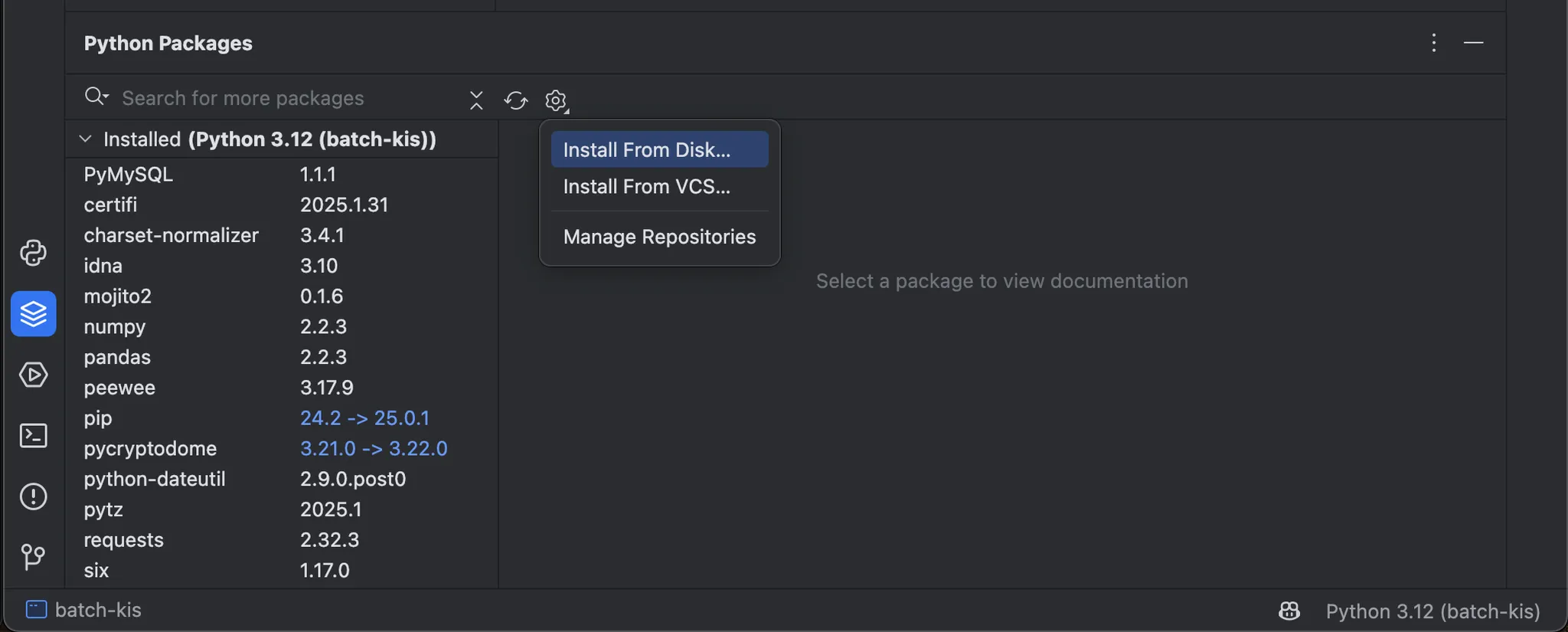
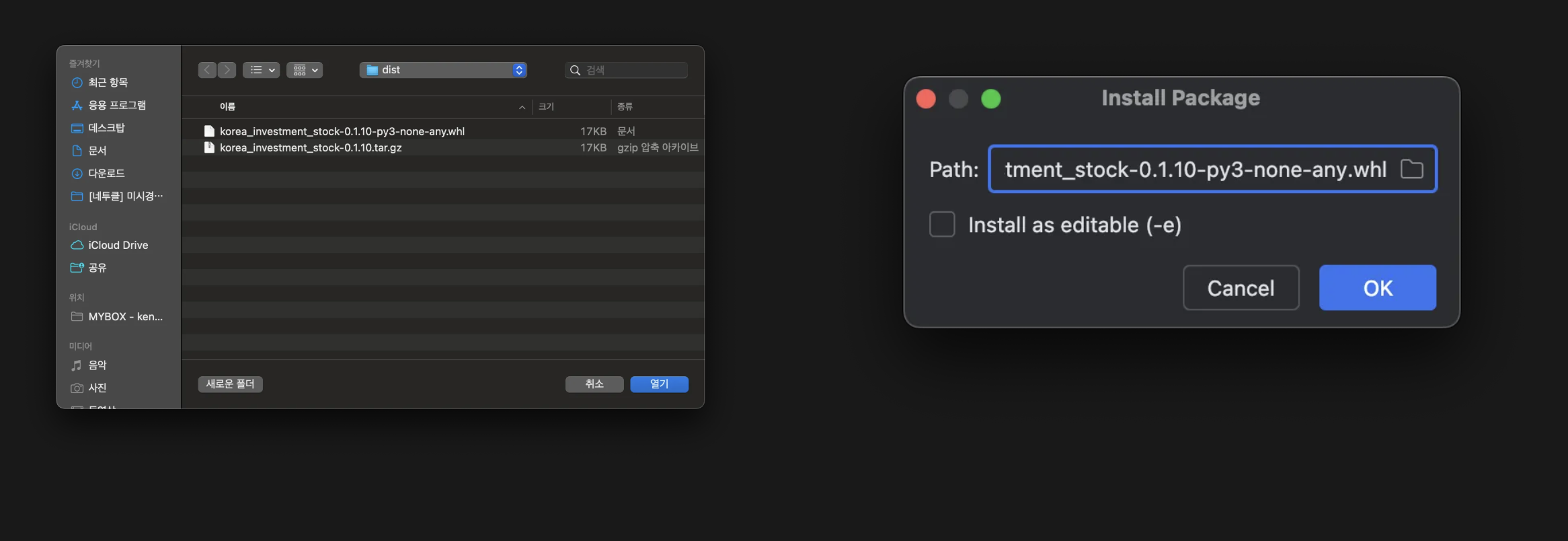
To install it in the PyCharm IDE, click the Python Packages icon located at the bottom left, click Setting > Install From Disk…, and then select the whl file from the location where you built the module.
3.2 Uploading the Package to PyPi
3.2.1 Prerequisites
-
Create a PyPi account: https://pypi.org/account/register/
-
Create an API token
:
https://pypi.org/manage/account/#api-tokens
- Note that you must enable 2FA
-
Configure the API token in the
$HOME/.pypircfile
[pypi]
  username = __token__
  password = pypi-AgEIcH... # Enter the issued token
3.2.2 Uploading with twine
> pip install twine
> python -m twine upload dist/*
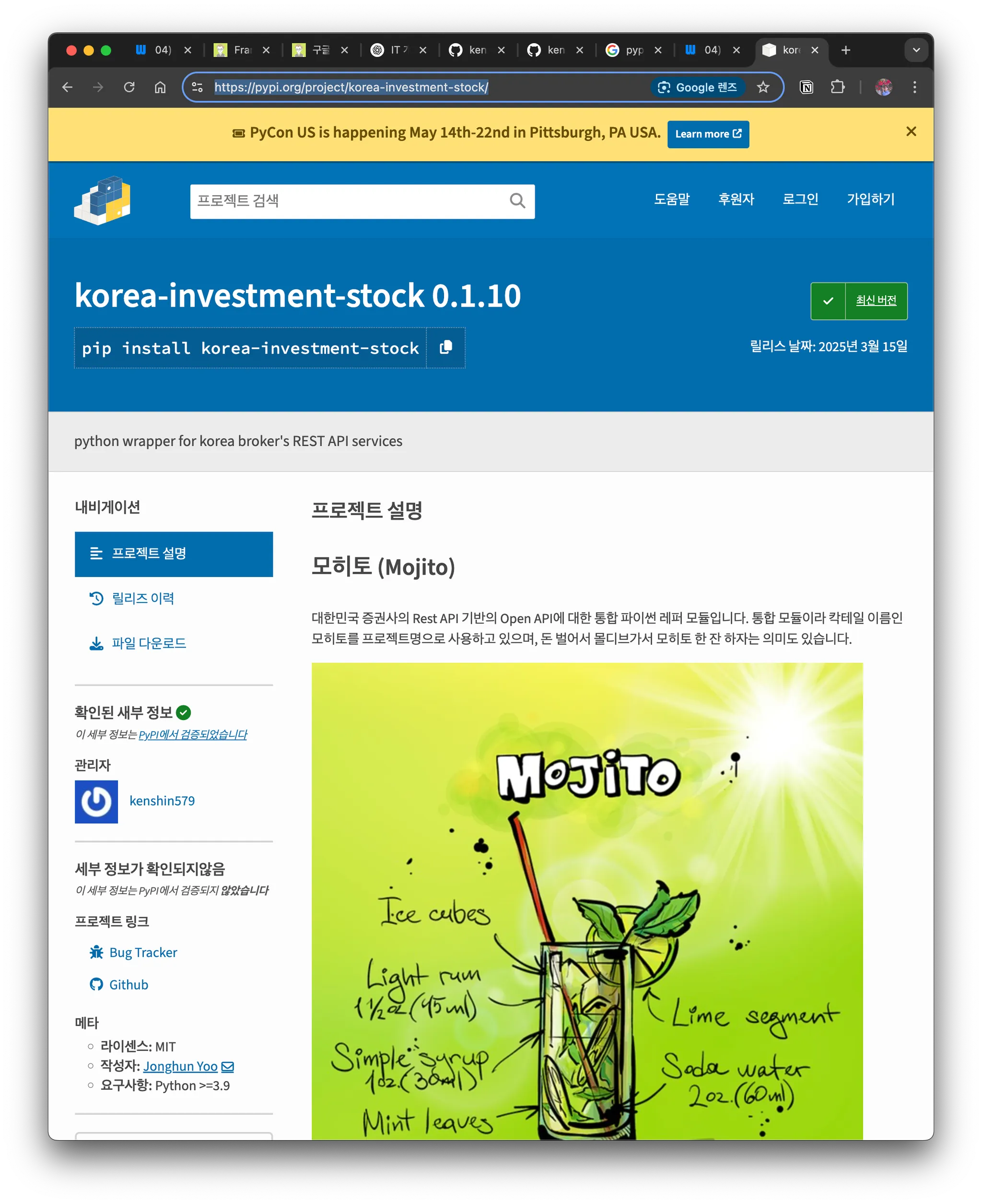
If the upload succeeds, you can verify the package on PyPi.
3.3 Testing the Package After Upload
> pip install korea-investment-stock

# If installed correctly, it prints the version
> python -c "import korea_investment_stock; print(korea_investment_stock.__version__)"
0.1.10
4. Distribution and Maintenance
4.1 Package Version Management (bumpversion)
bumpversionis a tool that automatically updates the version of a Python package.It changes the version number according to configured rules (e.g.,
major,minor,patch) and also modifies the related files (e.g.,setup.py,pyproject.toml). It can even automate Git tags and commits, making package management convenient and pleasant to use.
> pip install bumpversion
> bumpversion patch  # 0.1.0 -> 0.1.1
> bumpversion minor  # 0.1.1 -> 0.2.0
> bumpversion major  # 0.2.0 -> 1.0.0
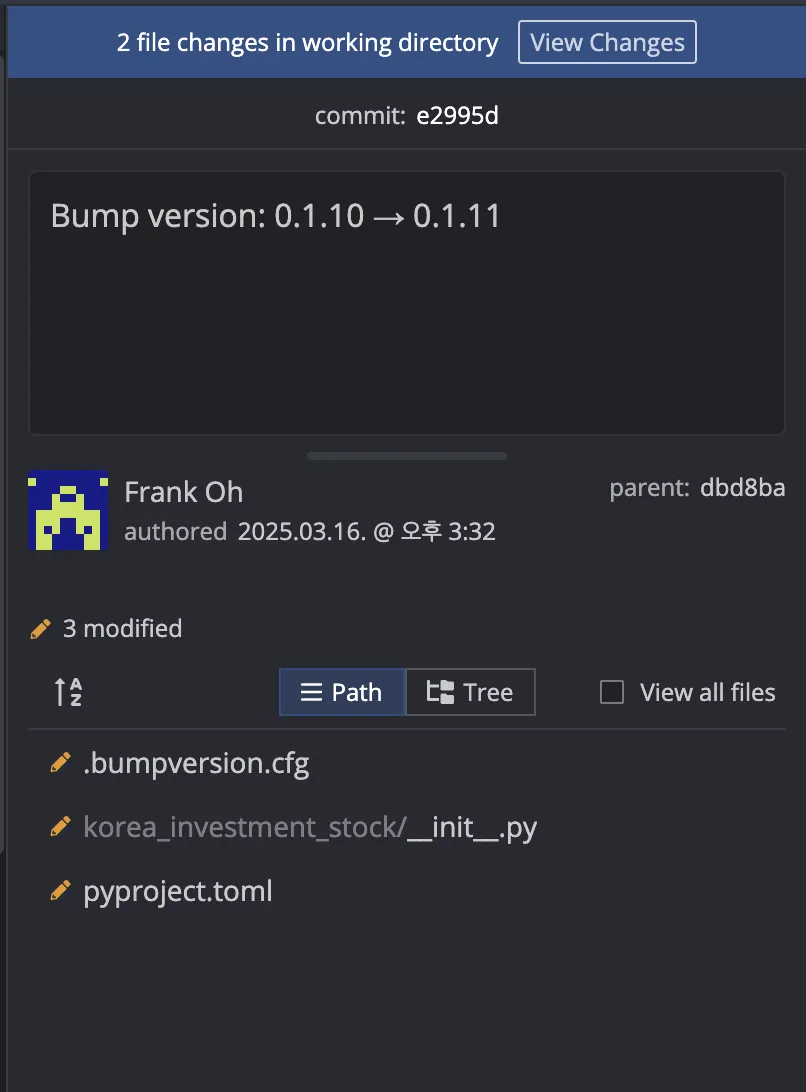
Running the commands above updates the version in the files that need a version change and even creates a commit.
5. Conclusion
We've looked at the process of uploading a Python module we developed to PyPi. We uploaded it using commands, but with GitHub Actions you can automatically upload to PyPi when you push a git tag.