1. Overview
When using a terminal in a Linux environment, the Alt key combined with the arrow keys (←, →) lets you move word by word — a feature that's enabled by default and very convenient. However, on the Mac's iTerm2, this feature isn't set up by default; instead, pressing those keys just displays values like ^[D or ^[C.
> helm upgrade --install asynqmon . -f values-dev.yaml -n dev [D[D[C[C
In this post, I'll show you how to map the Alt key in iTerm2 so you can use this feature on a Mac as well.
2. How to Set Up Alt Key Mapping in iTerm2
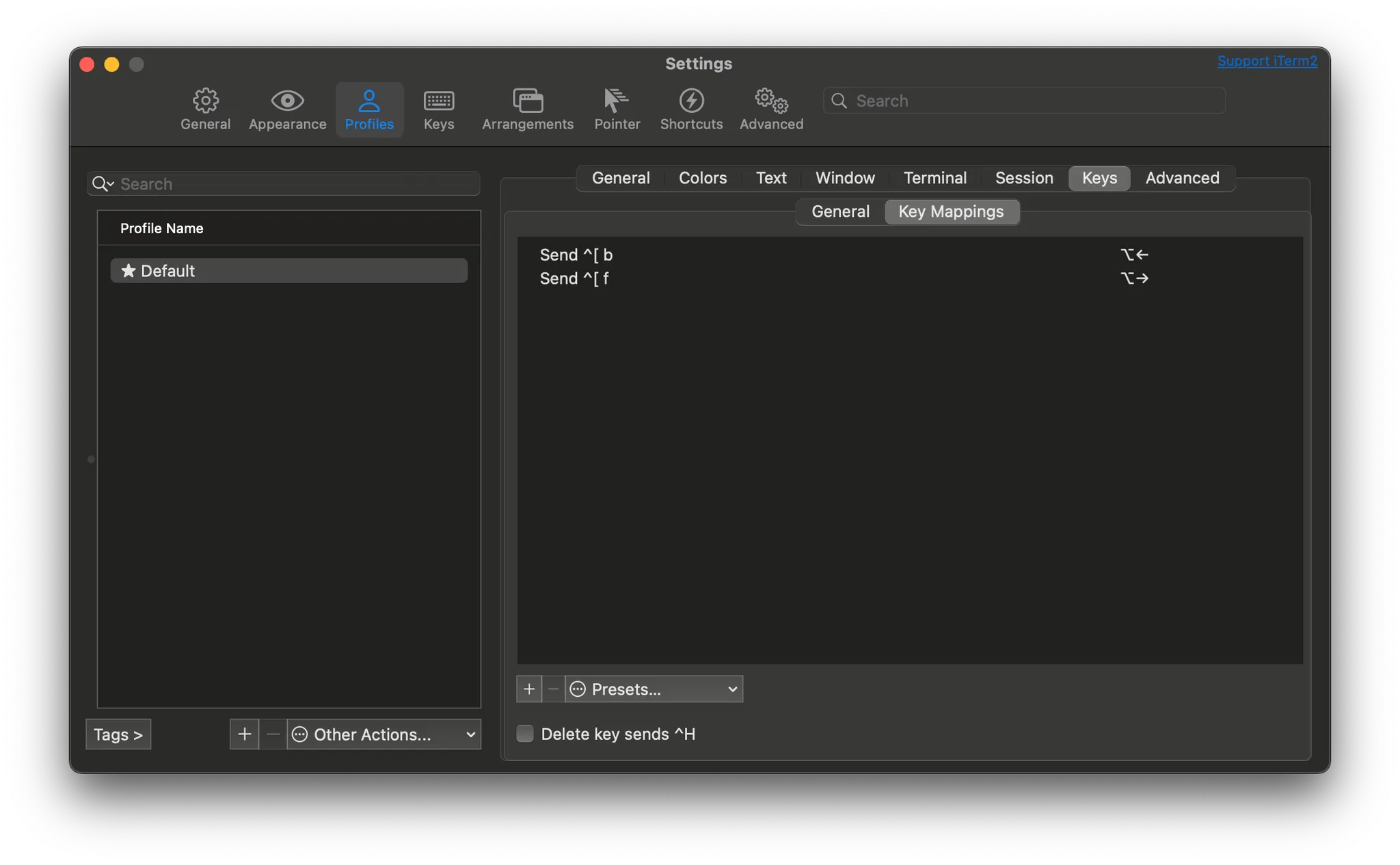
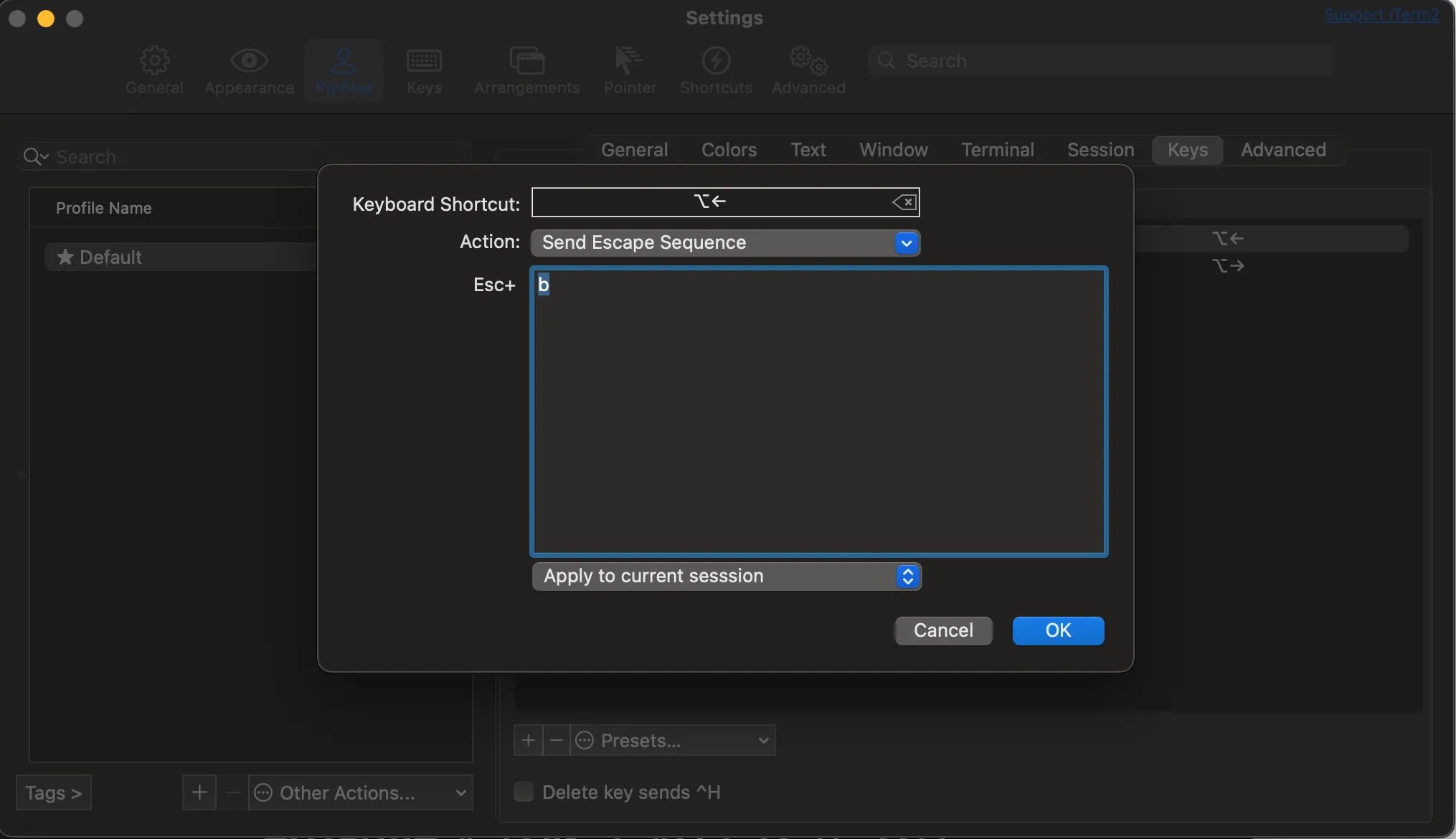
In Settings > Profiles > Keys > Key Mappings, add new mappings as shown below.
⌥←:- Action: select
Send Escape Sequence - Esc +: enter the value
b
- Action: select
⌥→:- Action: select
Send Escape Sequence - Esc +: enter the value
f
- Action: select
In the end, you just need to add the two key mappings shown below.