A channel is the means of communication for exchanging data between goroutines. It is the core mechanism that realizes Go's concurrency philosophy: "do not communicate by sharing memory; instead, share memory by communicating."
In this part, we fully cover channels — from basic behavior to the buffered/unbuffered difference, direction restrictions, and close rules.
1. Channel Concept and Creation
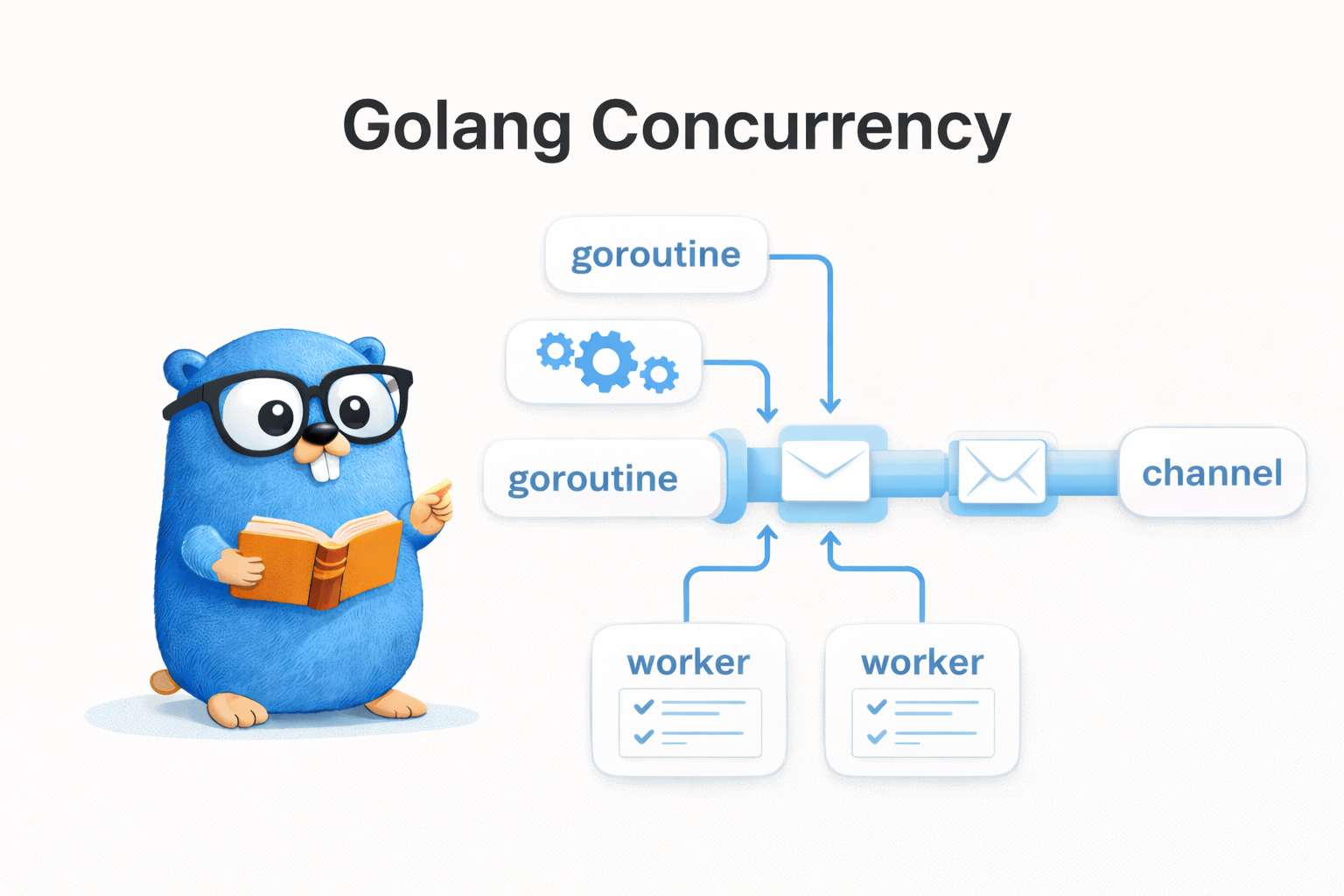
A channel is created with the make function. Think of it as a typed pipe.
ch := make(chan int)       // unbuffered channel (int type)
ch := make(chan string, 5) // buffered channel (string type, buffer size 5)
2. Send / Receive Behavior
To send a value to a channel, use the <- operator.
ch <- 42    // send: send 42 to the channel
val := <-ch // receive: receive a value from the channel
func TestChannelSendReceive(t *testing.T) {
    ch := make(chan int)

    go func() {
        ch <- 42 // send
    }()

    value := <-ch // receive (blocks until sent)
    assert.Equal(t, 42, value)
}
Channels support various types. Passing a struct lets you send a result and an error together.
func TestChannelStructType(t *testing.T) {
    type Result struct {
        Value int
        Err   error
    }

    ch := make(chan Result)

    go func() {
        ch <- Result{Value: 100, Err: nil}
    }()

    result := <-ch
    assert.Equal(t, 100, result.Value)
    assert.NoError(t, result.Err)
}
3. Understanding Blocking Behavior
The most important characteristic of a channel is blocking.
- Unbuffered channel: send and receive must be ready at the same time to proceed
- Buffered channel: send blocks when the buffer is full; receive blocks when the buffer is empty
graph LR
    subgraph "Unbuffered Channel"
        GA[Goroutine A<br/>send - blocking] -- "handshake<br/>(proceed together)" --> GB[Goroutine B<br/>receive - blocking]
    end
graph LR
    subgraph "Buffered Channel (size 3)"
        GA2[Goroutine A<br/>3 sends OK<br/>4th send BLOCK!] --> BUF[Buffer<br/>size: 3] --> GB2[Goroutine B<br/>receive]
    end
4. Unbuffered vs Buffered Channel
4.1 Unbuffered Channel
ch := make(chan int) // buffer size 0
- when you send, it blocks until the receiver receives
- synchronous communication: both sides must be ready to proceed
func TestUnbufferedChannel(t *testing.T) {
    ch := make(chan int)

    go func() {
        ch <- 42 // blocks here until the receiver is ready
    }()

    time.Sleep(100 * time.Millisecond) // the sender is already blocking
    value := <-ch                       // the moment we receive, the sender proceeds too
    assert.Equal(t, 42, value)
}
4.2 Buffered Channel
ch := make(chan int, 3) // buffer size 3
- if there's free space in the buffer, send completes immediately
- send blocks when the buffer is full
- asynchronous communication
func TestBufferedChannel(t *testing.T) {
    ch := make(chan int, 3)

    // can send up to 3 even without a receiver
    ch <- 1
    ch <- 2
    ch <- 3
    // ch <- 4 → blocking (buffer full)

    assert.Equal(t, 1, <-ch)
    assert.Equal(t, 2, <-ch)
    assert.Equal(t, 3, <-ch)
}
4.3 cap and len
func TestBufferedChannelCapLen(t *testing.T) {
    ch := make(chan string, 5)

    assert.Equal(t, 5, cap(ch)) // buffer capacity
    assert.Equal(t, 0, len(ch)) // number of values currently waiting

    ch <- "a"
    ch <- "b"

    assert.Equal(t, 5, cap(ch))
    assert.Equal(t, 2, len(ch))
}
4.4 When to Use Which?
| Situation | Choice |
|---|---|
| synchronization (handshake) between goroutines needed | Unbuffered |
| signaling (done, quit) | Unbuffered |
| buffering the difference between production and consumption speeds | Buffered |
| Producer/Consumer pattern | Buffered |
| high-throughput data transfer where performance matters | Buffered |
5. Channel Direction Restrictions
You can restrict a channel's direction in a function parameter.
chan<- int  // send-only (can only send)
<-chan int  // receive-only (can only receive)
This lets you prevent incorrect use of a channel at compile time.
// producer: send-only channel
func produce(ch chan<- int, values []int) {
    for _, v := range values {
        ch <- v
    }
    close(ch)
}

// consumer: receive-only channel
func consume(ch <-chan int) []int {
    var results []int
    for v := range ch {
        results = append(results, v)
    }
    return results
}

func TestChannelDirection(t *testing.T) {
    ch := make(chan int, 5)
    go produce(ch, []int{1, 2, 3, 4, 5})
    results := consume(ch)
    assert.Equal(t, []int{1, 2, 3, 4, 5}, results)
}
A bidirectional channel is implicitly converted to send-only or receive-only. Conversion in the opposite direction causes a compile error.
var sendOnly chan<- int = ch  // OK: bidirectional → send-only
var recvOnly <-chan int = ch  // OK: bidirectional → receive-only
6. Channel Close
6.1 The Meaning of close
close(ch) is a declaration that "no more values will be sent to this channel."
6.2 Receiving from a Closed Channel
func TestReceiveFromClosedChannel(t *testing.T) {
    ch := make(chan int, 1)
    ch <- 42
    close(ch)

    // if there's a value in the buffer, it returns normally
    val, ok := <-ch
    assert.Equal(t, 42, val)
    assert.True(t, ok)       // a valid value

    // empty buffer and closed channel → zero value + false
    val, ok = <-ch
    assert.Equal(t, 0, val)  // int's zero value
    assert.False(t, ok)      // closed indicator
}
6.3 Close Rules
| Rule | Description |
|---|---|
| Sender closes | the sender, not the receiver, is responsible for closing |
| No double close | closing an already-closed channel causes a panic |
| No send on a closed channel | sending a value to a closed channel causes a panic |
| Receive from a closed channel is OK | returns zero value + false |
6.4 Close Responsibility Pattern
// pattern: the sender creates the channel, sends, and closes
func generator() <-chan int {
    ch := make(chan int)
    go func() {
        defer close(ch)   // the sender is responsible for closing
        for i := range 5 {
            ch <- i
        }
    }()
    return ch // return as receive-only
}
7. Range over Channel
Using range, values are automatically received until the channel is closed.
func TestRangeOverChannel(t *testing.T) {
    ch := make(chan int, 5)

    go func() {
        for i := 1; i <= 5; i++ {
            ch <- i
        }
        close(ch) // close is required for range to terminate!
    }()

    var results []int
    for v := range ch {
        results = append(results, v)
    }

    assert.Equal(t, []int{1, 2, 3, 4, 5}, results)
}
For
range chto terminate,close(ch)must be called. Without close, range blocks forever.
7.1 Signaling Channel
To send only a completion signal rather than data, use chan struct{}. struct{} takes up no memory.
func TestChannelSignaling(t *testing.T) {
    done := make(chan struct{})

    go func() {
        // do work...
        close(done) // completion signal (delivered to all receivers)
    }()

    <-done // wait for completion
}
close(done) sends a signal to all receivers simultaneously. This is the difference from simply doing done <- struct{}{}.
If you're confused about the difference between
struct{}andstruct{}{}, see the FAQ.
8. Practice: Producer / Consumer Pattern
func TestProducerConsumer(t *testing.T) {
    ch := make(chan int, 10)
    var results []int

    // Producer: generate squares
    go func() {
        for i := 1; i <= 10; i++ {
            ch <- i * i
        }
        close(ch)
    }()

    // Consumer: collect results
    for val := range ch {
        results = append(results, val)
    }

    expected := []int{1, 4, 9, 16, 25, 36, 49, 64, 81, 100}
    assert.Equal(t, expected, results)
}
8.1 Multiple Producers
func TestMultipleProducers(t *testing.T) {
    ch := make(chan int, 20)
    var wg sync.WaitGroup

    // 3 producers
    for p := range 3 {
        wg.Add(1)
        go func() {
            defer wg.Done()
            for i := range 5 {
                ch <- p*100 + i
            }
        }()
    }

    // close the channel once all producers finish
    go func() {
        wg.Wait()
        close(ch)
    }()

    var results []int
    for val := range ch {
        results = append(results, val)
    }

    assert.Len(t, results, 15) // 3 x 5 = 15 items
}
9. Quiz
If you've read this far, these are questions you can answer. Pick an answer and the explanation shows up right away.
- type: mcq
  q: "Which correctly describes the difference between an unbuffered and a buffered channel?"
  choices: ["Buffered lets you send up to its size with no receiver", "Unbuffered needs at least one buffer slot before a send", "Buffered never blocks on a send even when the buffer is full", "Unbuffered does not wait for a receiver after it has sent"]
  answer: 0
  explain: "A buffered channel completes a send immediately while there is free space in the buffer, so you can send up to the buffer size even with no receiver; once the buffer is full the send blocks. An unbuffered channel has buffer size 0, so a send blocks until the receiver receives — synchronous communication. (Sections 4.1, 4.2)"

- type: code
  q: "If you run this code as is, what happens at (1)?"
  lang: go
  code: |
    ch := make(chan int)

    ch <- 42      // (1)
    value := <-ch // (2)
    _ = value
  choices: ["The value lands in the buffer and the next line runs", "Being unbuffered, the send itself is a compile error", "The make above it hands the channel a buffer of 1", "With no receiver, it blocks there and makes no progress"]
  answer: 3
  explain: "make(chan int) creates an unbuffered channel with buffer size 0. An unbuffered channel proceeds only when send and receive are ready at the same time, but the receive at (2) sits on the next line of the same goroutine and never gets a chance to run. So it stops at (1). (Sections 3, 4.1)"

- type: ox
  q: "close(done) delivers the completion signal to all waiting receivers simultaneously."
  answer: true
  explain: "Correct. close(done) signals all receivers at once, which is the difference from an ordinary send, which hands a single value to one receiver. That is why close is used to broadcast a completion signal. (Section 7.1)"

- type: blank
  q: "For a channel created with buffer size 5, the built-in that still returns 5 after you put 2 values in is ___(ch)."
  answer: ["cap"]
  explain: "It is cap(ch). cap is the buffer size handed to make, so it does not change as values come and go. The number of values currently waiting in the buffer is read separately with len(ch): put 2 values into a channel of buffer size 5 and cap is 5 while len is 2. (Section 4.3)"

- type: mcq
  q: "Which of the following is a correct rule about closing a channel?"
  choices: ["The receiver, not the sender, is responsible for closing", "Closing an already-closed channel is harmless and a no-op", "Sending a value to a closed channel causes a panic", "Receiving a value from a closed channel causes a panic"]
  answer: 2
  explain: "Sending on a closed channel panics. Responsibility for closing belongs to the sender, and closing an already-closed channel panics too. Receiving from a closed channel, by contrast, is allowed and returns the zero value plus false. (Section 6.3)"

- type: code
  q: "What values end up in v2 and ok2 in this code?"
  lang: go
  code: |
    ch := make(chan int, 1)
    ch <- 42
    close(ch)

    v1, ok1 := <-ch
    v2, ok2 := <-ch
    _, _, _, _ = v1, ok1, v2, ok2
  choices: ["v2 comes out as 42 and ok2 comes out as true", "v2 comes out as 0 and ok2 comes out as false", "The second receive panics on the closed channel", "The second receive blocks right there on that line"]
  answer: 1
  explain: "The first receive takes the 42 left in the buffer along with true. After that the buffer is empty and the channel is closed, so the second receive does not block: it returns int's zero value 0 and false, the closed indicator, right away. (Section 6.2)"

- type: ox
  q: "Once the sender has sent every value it has, range ch terminates on its own without a close."
  answer: false
  explain: "No. For range ch to terminate, close(ch) must be called. Even if every value has been sent, without a close the range keeps waiting for the next value and blocks forever. (Section 7)"

- type: blank
  q: "To exchange only a completion signal without data, use the chan ___{} type, which takes up 0 bytes of memory."
  answer: ["struct", "struct{}"]
  explain: "It is chan struct{}. struct{} is an empty struct type with no fields and takes up 0 bytes, making it the most efficient choice for delivering a signal without data. To send a value you use the instance struct{}{}. (Section 7.1)"

- type: mcq
  q: "By the article's selection criteria, when is an unbuffered channel recommended?"
  choices: ["When goroutines need handshake-style synchronization", "When you want to buffer a production/consumption gap", "When the Producer/Consumer pattern drives throughput", "When performance-critical bulk data has to be passed"]
  answer: 0
  explain: "Unbuffered is for synchronization (handshakes) between goroutines and for signals such as done and quit. Buffering a production/consumption speed gap, the Producer/Consumer pattern, and performance-critical bulk transfer all belong to buffered. (Section 4.4)"

- type: code
  q: "Which line in this code fails to compile?"
  lang: go
  code: |
    ch := make(chan int, 5)

    var sendOnly chan<- int = ch // (1)
    var recvOnly <-chan int = ch // (2)
    var both chan int = recvOnly // (3)
    _, _, _ = sendOnly, recvOnly, both
  choices: ["(1) — a bidirectional channel cannot become send-only", "(2) — a bidirectional channel cannot go receive-only", "None of them: all three lines compile just fine", "(3) — a direction-restricted one cannot go bidirectional"]
  answer: 3
  explain: "A bidirectional channel is implicitly converted to send-only or receive-only, so (1) and (2) are fine. The opposite direction is not allowed: turning a direction-restricted channel back into a bidirectional one at (3) is a compile error. (Section 5)"
10. Summary
| Concept | Core |
|---|---|
| Channel | a type-safe means of communication between goroutines |
| Unbuffered | synchronous handshake, requires simultaneous send/receive readiness |
| Buffered | asynchronous queue, can send up to the buffer size |
| Direction restriction | chan<- (send-only), <-chan (receive-only) |
| Close | the sender is responsible; a closed channel returns the zero value |
| Range | automatically receives until the channel is closed |
chan struct{} | for signaling (0 memory) |
In the next part, we'll cover advanced channel patterns such as the select statement, which handles multiple channels simultaneously, and fan-in/fan-out.
11. FAQ
11.1 Q. What's the difference between struct{} and struct{}{}?
struct{} is a type, and struct{}{} is a value (instance).
It's easier to understand by analogy with a regular struct:
type Person struct {
    Name string
    Age  int
}

p := Person{Name: "Frank", Age: 30}
//   ^^^^^^ type
//         ^^^^^^^^^^^^^^^^^^^^^^^^ value
Likewise, an empty struct has the same structure:
v := struct{}{}
//   ^^^^^^^^ type: struct{} (a struct with no fields)
//           ^^ value: {} (empty literal)
| Expression | Meaning | Analogy |
|---|---|---|
int | int type | blueprint |
42 | int value | physical object |
struct{} | empty struct type | blueprint (no fields) |
struct{}{} | empty struct value | physical object (no content) |
When used with a channel:
// create a channel — specify the type
done := make(chan struct{})  // a channel of type struct{}

// send a value — send a struct{}{} instance
done <- struct{}{}

// close — deliver a "closed" signal to all receivers instead of a value
close(done)
Since struct{} takes up 0 bytes of memory, it's the most efficient choice when you want to only deliver a signal without data.