1. Mastering QoS
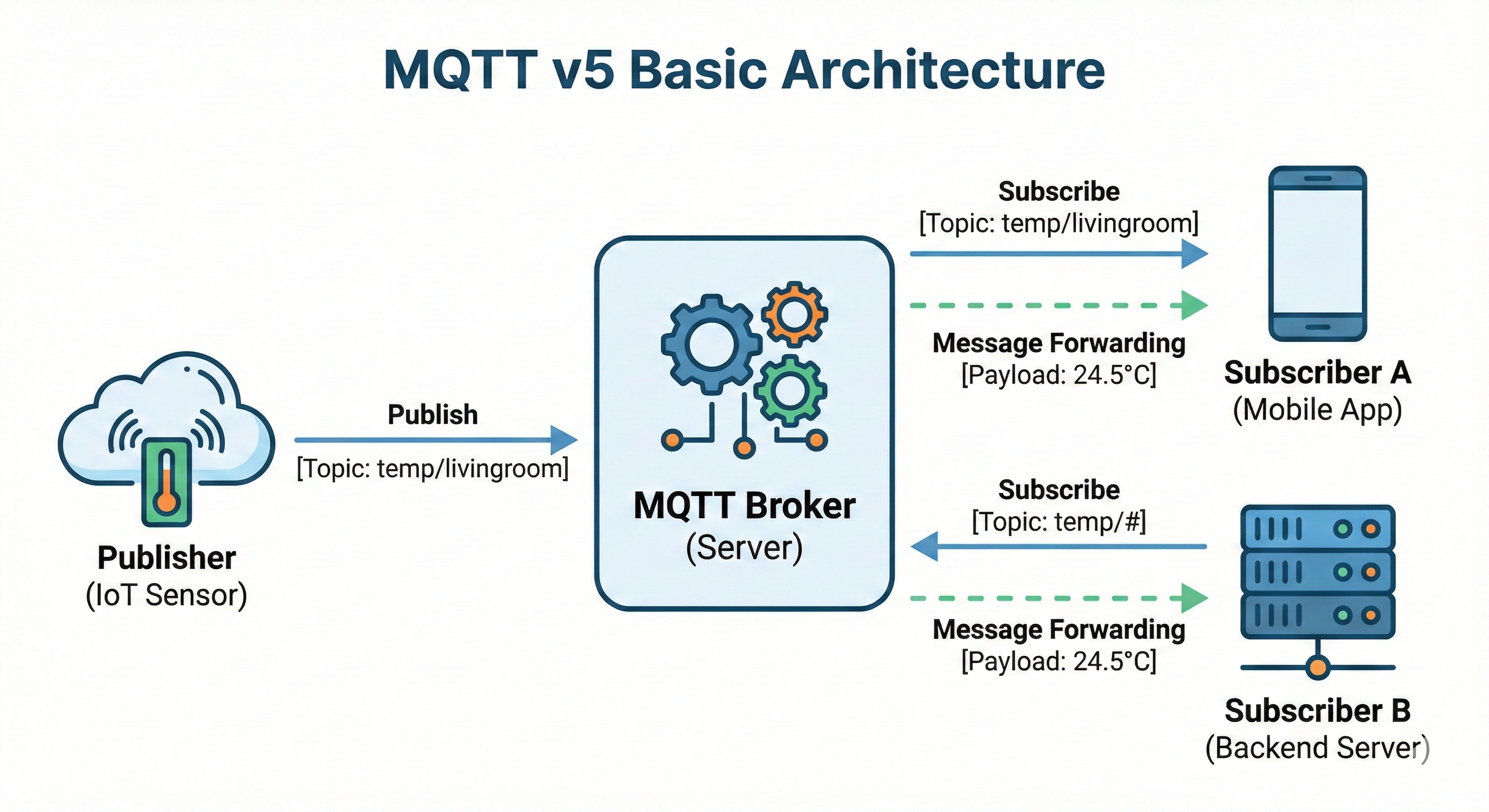
QoS (Quality of Service) refers to the delivery guarantee level of a message. It is one of the most important concepts in MQTT, and you must choose the appropriate QoS based on network conditions and message importance. Choosing a QoS involves a trade-off between reliability and performance. The higher the QoS level, the more certain message delivery becomes, but network overhead and latency increase accordingly.
This chapter examines how each QoS level works and explores which QoS is appropriate for which situation in practice. It also covers how to handle duplicate messages that can occur with QoS 1.
1.1 How QoS 0 / 1 / 2 Work
1.1.1 QoS 0: At Most Once
This is the "fire and forget" approach. The message is sent once without waiting for a response. Even if the message is lost due to network issues, it is not retransmitted. It is the fastest and lightest approach, but it does not guarantee message delivery.
sequenceDiagram
    participant P as Publisher
    participant B as Broker
    participant S as Subscriber
    P->>B: PUBLISH
    B->>S: PUBLISH
    Note over P,S: No ACK, done
Characteristics:
- Fastest
- Message loss possible
- No
ACK
Analogy: Sending a postcard—you don't confirm whether it arrived
1.1.2 QoS 1: At Least Once
This is the "retransmit until acknowledged" approach.
sequenceDiagram
    participant P as Publisher
    participant B as Broker
    participant S as Subscriber
    P->>B: PUBLISH
    B-->>P: PUBACK
    Note over P,B: Done once ACK received
    B->>S: PUBLISH
    S-->>B: PUBACK
    Note over B,S: Done once ACK received
Characteristics:
- Message delivery guaranteed
- Duplicates possible (retransmission if
ACKis lost) - Most commonly used
Analogy: Registered mail—confirmation of receipt required
1.1.3 QoS 2: Exactly Once
This is the "delivered exactly once without duplicates" approach.
sequenceDiagram
    participant P as Publisher
    participant B as Broker
    participant S as Subscriber
    P->>B: PUBLISH
    B-->>P: PUBREC (received)
    P->>B: PUBREL (ok to delete)
    B-->>P: PUBCOMP (complete)
    Note over B,S: Broker → Subscriber uses the same 4 steps
Characteristics:
- No-duplicate guarantee
- Slowest (4 handshakes)
- Rarely used
Analogy: Bank transfer—must be executed exactly once
1.1.4 MQTT Control Packet Types
The PUBLISH, PUBACK, and other packets used in the diagrams above are official packet types defined by the MQTT protocol.
| Packet | Purpose |
|---|---|
CONNECT / CONNACK | Connection request / response |
PUBLISH | Message publish |
PUBACK | QoS 1 response |
PUBREC / PUBREL / PUBCOMP | QoS 2 handshake (3 steps) |
SUBSCRIBE / SUBACK | Subscription request / response |
UNSUBSCRIBE / UNSUBACK | Unsubscribe request / response |
PINGREQ / PINGRESP | Keep Alive check |
DISCONNECT | Connection termination |
AUTH | Authentication (added in v5) |
1.1.5 At a Glance
| QoS | Name | Delivery Guarantee | Duplicates Possible | Speed |
|---|---|---|---|---|
| 0 | At Most Once | X | X | Fast |
| 1 | At Least Once | O | O | Moderate |
| 2 | Exactly Once | O | X | Slow |
1.2 Criteria for Choosing QoS
1.2.1 Status Reports: QoS 0 or 1
Sensor data such as temperature and humidity is sent periodically, so missing one is fine because the next value arrives soon. Therefore, choose QoS 0 or 1 depending on the transmission frequency and data importance.
# Example: temperature sensor sends a value every second
topic: sensor/temp
payload: 25.5
qos: 0  # missing one is fine, the next value arrives
Decision criteria:
- Sent periodically →
QoS0 - Sent occasionally and important →
QoS1
1.2.2 Events: QoS 1
An event such as a door opening or a button click happens once and is over, so missing it makes recovery difficult. Since it must be delivered, use QoS 1.
# Example: door-opened event
topic: door/event/opened
payload: {"time": "10:30:00"}
qos: 1  # an event must not be missed
1.2.3 Commands: QoS 1 or 2
Commands sent to a device must be delivered. QoS 1 is sufficient in most cases, but for cases where duplicate execution is critical—such as payments—consider QoS 2 or idempotent handling.
# Example: turn-off-light command
topic: light/cmd/off
payload: {}
qos: 1  # must be delivered
When duplicate execution is a problem:
# Example: payment request
topic: payment/process
payload: {"amount": 10000}
qos: 2  # executed exactly once
# or QoS 1 + idempotent handling
1.3 QoS and Duplicate Handling
1.3.1 The Reality of At-Least-Once
QoS 1 guarantees message delivery, but if the PUBACK is lost, the publisher retransmits the same message, which can cause duplicates. This is intended behavior by design in QoS 1, so the subscriber side needs to handle duplicates.
sequenceDiagram
    participant P as Publisher
    participant B as Broker
    participant S as Subscriber
    P->>B: PUBLISH (msg-1)
    B->>S: PUBLISH (msg-1)
    B--xP: PUBACK (lost on network)
    Note over P: timeout, retransmit
    P->>B: PUBLISH (msg-1, retransmit)
    B->>S: PUBLISH (msg-1, duplicate!)
    B-->>P: PUBACK
    Note over S: receives the same message twice
1.3.2 Designing an Idempotent Consumer
Designing so that the result is the same even when a duplicate message is received is idempotency. It achieves effectively the same "exactly once" processing without the overhead of QoS 2, which is why the QoS 1 + idempotency combination is the most widely used in practice.
Method 1: Check for duplicates by message ID
func handleMessage(msg Message) {
    // Check whether the message has already been processed
    if processed[msg.ID] {
        return  // ignore
    }

    processMessage(msg)
    processed[msg.ID] = true
}
Method 2: State-based handling
// Bad: incrementing balance (a problem if duplicated)
balance += amount

// Good: setting state (same result even if duplicated)
balance = newBalance
status = "completed"
Method 3: Use timestamps
func handleState(msg StateMessage) {
    // Ignore older messages
    if msg.Timestamp < lastTimestamp {
        return
    }

    updateState(msg)
    lastTimestamp = msg.Timestamp
}
2. Session & Connection Management
In MQTT, a session is a concept that goes beyond a simple TCP connection. A session includes subscription information, undelivered messages, QoS flow state, and more. Proper session management is key to preventing message loss in unstable network environments. This chapter covers the session lifecycle, the Keep Alive mechanism, and how to use Retained Messages.
2.1 Session Expiry Interval
A session is connection state information between a client and a broker. In v5, the Session Expiry Interval lets you finely control how long a session is retained even after the connection drops. This feature is especially useful in environments where connections drop frequently, such as mobile apps.
2.1.1 Clean Start vs. Session Retention
The Clean Start flag determines how the previous session is handled upon connection. This setting greatly affects how the system behaves, so it must be chosen carefully.
Clean Start = true (new session)
On connect:
  - Delete previous session info
  - Reset subscription info
  - Delete stored messages

Use cases:
  - Temporary connections
  - Publishers that don't need state
Clean Start = false (retain session)
On connect:
  - Restore previous session info
  - Retain subscription info
  - Deliver messages from the offline period

Use cases:
  - Persistent subscribers
  - Cases where messages must not be missed
2.1.2 Session Expiry Interval
This sets how long a session is retained.
// Example session configuration
SessionExpiryInterval: 3600  // 1 hour

// Behavior
1. Client disconnects
2. Broker retains the session for 1 hour
3. Reconnect within 1 hour → session restored, backlogged messages delivered
4. Reconnect after 1 hour → new session starts
Recommended values:
- Mobile apps: 1-24 hours
IoTdevices: as needed (minutes to days)- Temporary connections: 0 (no session retention)
2.1.3 Offline Messages
While the session is retained, the broker stores messages. Even if the client is offline, as long as the session is alive, messages of QoS 1 or higher pile up at the broker and are delivered all at once upon reconnection. Thanks to this, you can reliably receive data without message loss even in unstable network environments.
sequenceDiagram
    participant P as Publisher
    participant B as Broker
    participant S as Subscriber
    Note over S: Offline (session retained)
    P->>B: PUBLISH (QoS 1)
    B-->>P: PUBACK
    Note over B: Store message (session alive)
    P->>B: PUBLISH (QoS 1)
    B-->>P: PUBACK
    Note over B: Store message
    S->>B: CONNECT (Clean Start=false)
    B-->>S: CONNACK (Session Present=true)
    B->>S: PUBLISH (stored message 1)
    S-->>B: PUBACK
    B->>S: PUBLISH (stored message 2)
    S-->>B: PUBACK
Caveats:
QoS0 messages are not stored- There may be a limit on storage capacity
- You must reconnect before Session Expiry
2.2 Keep Alive
This is the mechanism for checking whether a connection is alive. Because a TCP connection often cannot immediately detect when the other side terminates abnormally, MQTT periodically exchanges PINGREQ/PINGRESP to verify the connection state. This allows a dropped connection to be detected quickly and a reconnection to be attempted.
2.2.1 The Ping Mechanism
sequenceDiagram
    participant C as Client
    participant B as Broker
    Note over C,B: Keep Alive = 60 sec
    C->>B: PINGREQ (if no traffic for 60 sec)
    B-->>C: PINGRESP
    Note over C,B: No response means the connection is considered dropped
How it works:
- The client sets the Keep Alive interval (e.g., 60 seconds)
- If there are no messages during that time, it sends a
PINGREQ - The broker responds with a
PINGRESP - If there is no response within Keep Alive * 1.5, the connection is terminated
2.2.2 Relationship with Network Quality
# Stable network
keep_alive: 60-120 sec

# Unstable network (mobile, IoT)
keep_alive: 15-30 sec
# Checks more often but increases overhead

# Very stable environment (within a data center)
keep_alive: 300 sec or more
Trade-off:
- Short Keep Alive: fast disconnect detection, high overhead
- Long Keep Alive: low overhead, slow disconnect detection
2.3 Retained Message
This is a feature that stores the last message on a topic. The broker keeps the most recent message for that topic, and when a new subscriber subscribes, it delivers it immediately. This lets the subscriber know the current state right away without waiting for the publisher's next publish.
2.3.1 Last Known State Pattern
# Temperature sensor publishes a Retained message
PUBLISH
  topic: sensor/temperature
  payload: 25
  retain: true

# The broker stores this message

# Later, when a new subscriber subscribes
SUBSCRIBE topic: sensor/temperature
# → immediately receives the last value (25)
Why it is useful:
- A newly connected client can immediately know the current state
- The sensor doesn't have to send frequently
- It can answer the question "what is the current state?"
2.3.2 Misuse Cases
# Bad use: Retain on an event
PUBLISH
  topic: door/event/opened
  payload: {"time": "10:30:00"}
  retain: true  # wrong!

# Problem: a new subscriber receives the past "door opened" event
# Can't distinguish whether it's the current door state or a past event
When to use Retain:
- State (temperature, humidity, power status)
- Configuration values
- Current location
When not to use Retain:
- Events (button click, door opening)
- Commands
- Logs
3. Reconnection Strategies
This chapter is the most important part in practice.
Many MQTT tutorials cover only connecting and sending messages, but in real production code, reconnection logic accounts for a significant portion of the entire codebase. Networks inevitably drop, and without preparing for this, you cannot operate a stable service. This chapter covers in detail why reconnection is necessary, the problems that arise during reconnection, and proven reconnection strategies.
3.1 Why Reconnection Is Essential
3.1.1 Real-World Networks
In an ideal world, once you connect, the connection lasts forever. But reality is different. A network connection can drop for various reasons, and this is part of normal operation, not a bug. Therefore, reconnection should be designed as a core feature, not as exception handling.
Causes of network drops:
- Wi-Fi →
LTEswitch (mobile) - Tunnels, elevators (mobile)
- Router restart
- ISP outage
- Broker restart
- Load balancer timeout
- Forced termination due to out of memory
3.1.2 Characteristics by Environment
Mobile
- Frequent network switching
- The OS drops the connection when the app goes into the background
- Restrictions due to battery saving
Robots/Vehicles
- Base station handoff while moving
- Passing through dead zones
- Hardware reboots
IoT Sensors
- Unstable power
- Wireless interference
- Restart due to firmware updates
3.1.3 Broker Failures
The broker can die too:
- Out of memory
- Disk full
- Upgrade/patch
- Hardware failure
Conclusion: Reconnection is not a question of "if" but of "when" it happens.
3.2 Problems That Arise During Reconnection
3.2.1 Lost Subscriptions
Subscriptions can disappear depending on the Clean Start setting. If Session Expiry has passed or you reconnect with Clean Start=true, the broker deletes the previous session, so all existing subscription information disappears. In this case, the client may mistakenly believe it is still subscribed while not receiving messages, which makes debugging difficult.
sequenceDiagram
    participant C as Client
    participant B as Broker
    C->>B: SUBSCRIBE (topic/a, topic/b)
    B-->>C: SUBACK
    Note over C,B: Subscribed normally
    C--xB: Connection dropped
    Note over B: Session Expiry passed → session deleted
    C->>B: CONNECT (Clean Start=true)
    B-->>C: CONNACK (Session Present=false)
    Note over C: Subscriptions gone, no messages received!
3.2.2 Duplicate Messages
Depending on the timing of reconnection, you can receive the same message multiple times. If the client received a message but the connection dropped before sending the PUBACK, the broker determines that delivery failed and retransmits the same message after reconnection. This is due to the At-Least-Once guarantee of QoS 1 and must be addressed with the idempotent design covered earlier.
sequenceDiagram
    participant B as Broker
    participant C as Client
    B->>C: PUBLISH (msg-1)
    Note over C: Message received, before sending ACK
    C--xB: Connection dropped (PUBACK not sent)
    C->>B: CONNECT (reconnect)
    B-->>C: CONNACK
    B->>C: PUBLISH (msg-1, retransmit)
    Note over C: Received the same message twice!
    C-->>B: PUBACK
3.2.3 Broken Message Order
In QoS 1, when multiple messages are inflight at the same time, if some are lost and retransmitted, they can arrive out of their original order. If you have logic that depends on order, you need handling that guarantees the correct order based on timestamps or sequence numbers.
sequenceDiagram
    participant B as Broker
    participant C as Client
    B->>C: PUBLISH (msg-1)
    B->>C: PUBLISH (msg-2)
    Note over B,C: msg-1 lost on network,<br/>msg-2 received normally
    C-->>B: PUBACK (msg-2)
    Note over B: msg-1 ACK timeout → retransmit
    B->>C: PUBLISH (msg-1, retransmit)
    C-->>B: PUBACK (msg-1)
    Note over C: Receive order: msg-2 → msg-1 (reversed!)
3.3 Reconnection Design Strategies
3.3.1 Auto Reconnect
Most MQTT client libraries support automatic reconnection.
// Paho v5 example
config := autopaho.ClientConfig{
    ConnectRetryDelay: 10 * time.Second,  // retry interval
    // ...
}
What automatic reconnection does:
- Detects the connection drop
- Waits for a certain amount of time
- Attempts to reconnect
- If it fails, waits again and retries
3.3.2 Backoff Strategies
This is a strategy that progressively increases the wait time when reconnection fails.
# Fixed Backoff
Attempt 1: wait 1 sec
Attempt 2: wait 1 sec
Attempt 3: wait 1 sec
...

# Exponential Backoff
Attempt 1: wait 1 sec
Attempt 2: wait 2 sec
Attempt 3: wait 4 sec
Attempt 4: wait 8 sec
...

# Exponential Backoff with Jitter (+ random)
Attempt 1: 1 sec + random(0~500ms)
Attempt 2: 2 sec + random(0~500ms)
...
Why Jitter is needed:
# Scenario: Broker restart
1. 1000 clients disconnect simultaneously
2. All attempt to reconnect after 1 second
3. A flood of 1000 connection requests hits the broker
4. Broker overload

# With Jitter applied
1. 1000 clients disconnect simultaneously
2. Each reconnects after 1 second + a random time
3. Connection requests are spread out
4. Broker handles them stably
3.3.3 Retaining vs. Resetting the Session
// Retain the session (recommended)
CleanStart: false
SessionExpiryInterval: 3600  // 1 hour

// Advantages:
// - Subscription info retained
// - Receives offline messages

// Reset the session
CleanStart: true

// When needed:
// - When you must start completely fresh
// - When a problem occurs and you need to reset
3.4 Post-Reconnection Logic
3.4.1 Resubscription Strategy
If the session has expired or you used Clean Start, resubscription is necessary.
// Callback on successful reconnection
func onConnect(client *paho.Client) {
    // Resubscribe to the required topics
    topics := []string{
        "device/+/state",
        "command/mydevice/#",
    }

    for _, topic := range topics {
        client.Subscribe(topic, qos)
    }
}
Best Practice: Manage a subscription list
type SubscriptionManager struct {
    subscriptions map[string]byte  // topic -> qos
}

func (sm *SubscriptionManager) Resubscribe(client *paho.Client) {
    for topic, qos := range sm.subscriptions {
        client.Subscribe(topic, qos)
    }
}
3.4.2 Handling Unprocessed Messages
Considerations when receiving backlogged messages after reconnection:
func onMessage(msg Message) {
    // 1. Check message age
    age := time.Since(msg.Timestamp)
    if age > maxMessageAge {
        log.Warn("Discarding old message", age)
        return
    }

    // 2. Check for duplicates
    if isProcessed(msg.ID) {
        return
    }

    // 3. Process
    processMessage(msg)
    markAsProcessed(msg.ID)
}
3.4.3 State Synchronization Patterns
These are patterns for synchronizing the current state after reconnection.
Method 1: Use Retained Messages
# Subscribing immediately receives the last state
SUBSCRIBE topic: device/+/state
→ Receive the last state of each device
Method 2: Explicit state request
# Request state after reconnection
PUBLISH topic: device/mydevice/cmd/get_state
→ The device responds with its current state
Method 3: Sequence-number based
// Store the last processed sequence
lastSequence := loadLastSequence()

// After reconnection
for _, msg := range messages {
    if msg.Sequence <= lastSequence {
        continue  // already processed
    }
    processMessage(msg)
    saveLastSequence(msg.Sequence)
}
4. Conclusion
Here is a summary of the key points covered in this part.
Choosing QoS
QoS0: fast but loss is possible. Suitable for periodic status reportsQoS1: guarantees delivery but duplicates are possible. Most commonly usedQoS2: delivered exactly once. High overhead, so rarely used- Solve duplicate handling with idempotent design
Session Management
- Retaining the session with Clean Start=false allows receiving offline messages
- Set the session retention time with the Session Expiry Interval
- Verify the connection state with Keep Alive. Tune it according to the network environment
- Use Retained Messages only for state information. Not suitable for events
Reconnection Strategies
- Network drops are a matter of "when," not "if"
- Distribute broker load with Exponential Backoff + Jitter
- Resubscription, duplicate checks, and state synchronization after reconnection are essential
In practice, reconnection logic accounts for a significant portion of the entire codebase. To build a stable MQTT system, you must thoroughly understand these three areas.
Next part: In MQTT v5 Complete Guide Part 4: Advanced Features and Security, we cover Shared Subscriptions, the Request/Response pattern, Reason Codes, and TLS security configuration.